
If you lead revenue at a growing B2B company, you are probably being asked where AI belongs in your revenue operations. This article is for CEOs, founders, CROs and revenue operations leaders who want a plain answer: automate the repetitive tasks that clog your data, and keep judgment, relationships and accountability with people.
You will leave with a short timeline of what changed in 2025 and early 2026, the evidence behind it, a clear split between work to automate and work to keep human, and a first step you can start this quarter.
|
RevOps AI RevOps AI is the use of AI tools and AI agents to automate repetitive work across sales, marketing and customer success, while people keep the decisions that need judgment. |
What changed in revenue operations when AI agents arrived
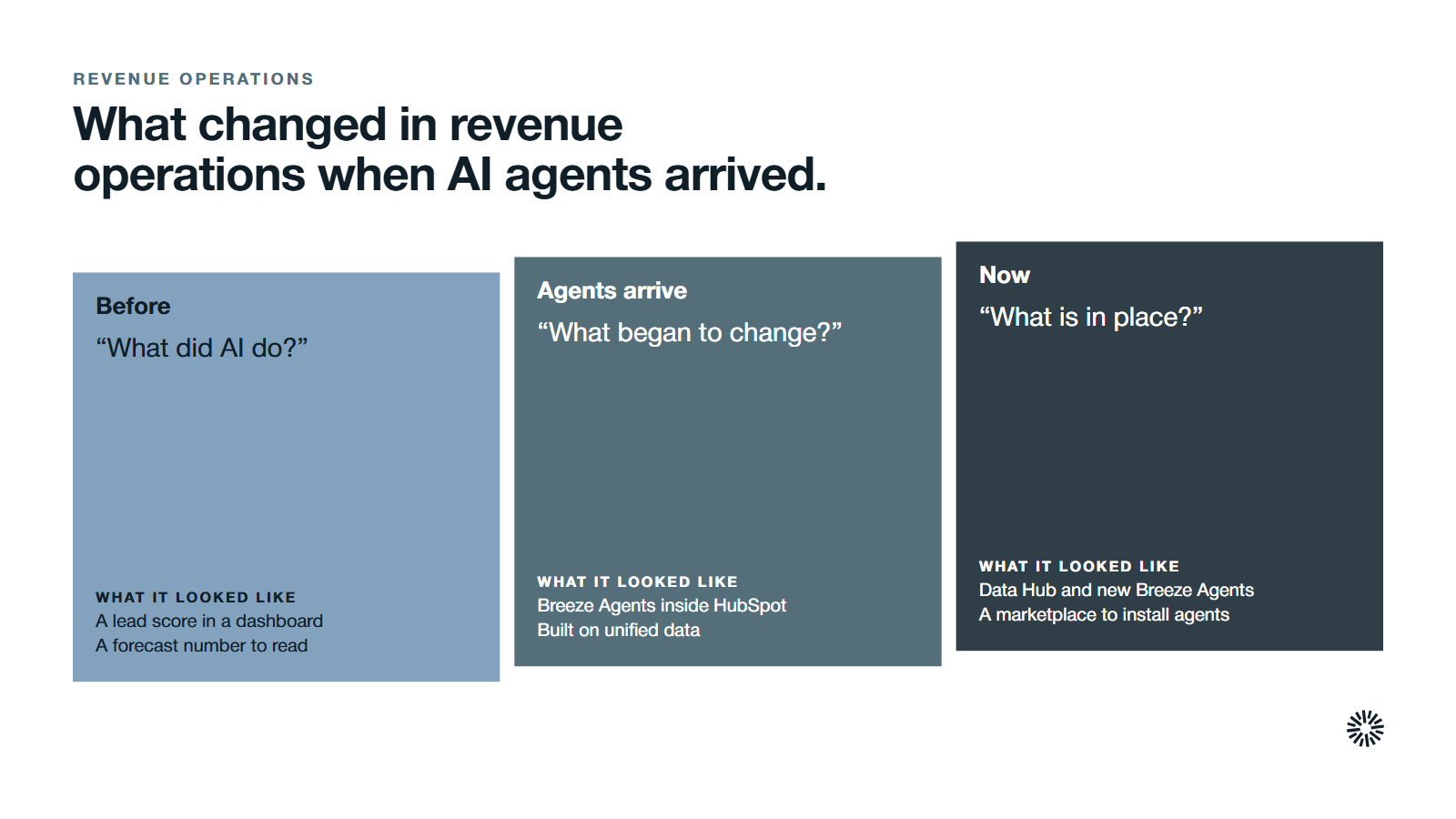
For years, AI in revenue operations meant a lead score or a forecast number inside a dashboard. The shift since 2025 is that AI agents now do work: they research accounts, enrich records and draft messages, then hand the result to a person.
The dates matter, because the tooling moved quickly. On April 10, 2025, HubSpot announced new and improved Breeze Agents and said they are embedded directly into HubSpot and powered by unified data and customer context, and built to work with humans.
On October 6, 2025, HubSpot's Fall 2025 Spotlight introduced a new Data Hub, new Breeze Agents and a marketplace for installing them. Its footnote says Data Hub replaces Operations Hub, which matters if your team still searches for the old name.
Our guide to HubSpot Operations Hub covers that layer.
The marketing side of the same shift is in our piece on Breeze and loop marketing; this article stays on revenue operations.
What HubSpot's AI agents actually do
HubSpot's data agent guide describes the data agent as acting like a 24/7 data operations machine that enriches, transforms and fixes CRM information at scale. It also gives a RevOps example: a custom property that uses the agent to research recent funding or hiring surges and classify new companies.
The prospecting agent guide says the agent detects companies that match the buying signals you choose, identifies relevant contacts and generates personalized outreach from CRM data. Your team still decides what to send and to whom.
HubSpot's Agent Hub guide adds the control layer. You can see every agent in one workspace, review its output in an agent inbox, and set the business context it uses, such as messaging, tone and ideal customer profiles. To configure AI agents well, treat that review step as the point, not a formality.
What the evidence says about AI in sales and revenue teams
In Salesforce's State of Sales report for 2026, based on a survey of 4,050 sales professionals fielded in August and September 2025, 87% of sales organizations use some form of AI for tasks like prospecting, forecasting, lead scoring or drafting emails.
The same report says 54% of sellers have used AI agents and nearly 9 in 10 plan to by 2027, so sales teams are already planning around them.
The more useful finding for revenue operations is about data. The report says 74% of sales professionals are focusing on data cleansing, which means removing duplicates, correcting errors and standardizing formats. It also says 51% of sales leaders with AI report that disconnected systems are slowing their AI initiatives.
Salesforce's earlier 2024 sales statistics explain why: only 35% of sales professionals completely trust the accuracy of their organization's data. AI works on the data you give it, so weak CRM data produces confident, wrong answers faster.
If your records are unreliable, fix that first. Our guide to CRM data quality shows how.
What to automate with RevOps AI first
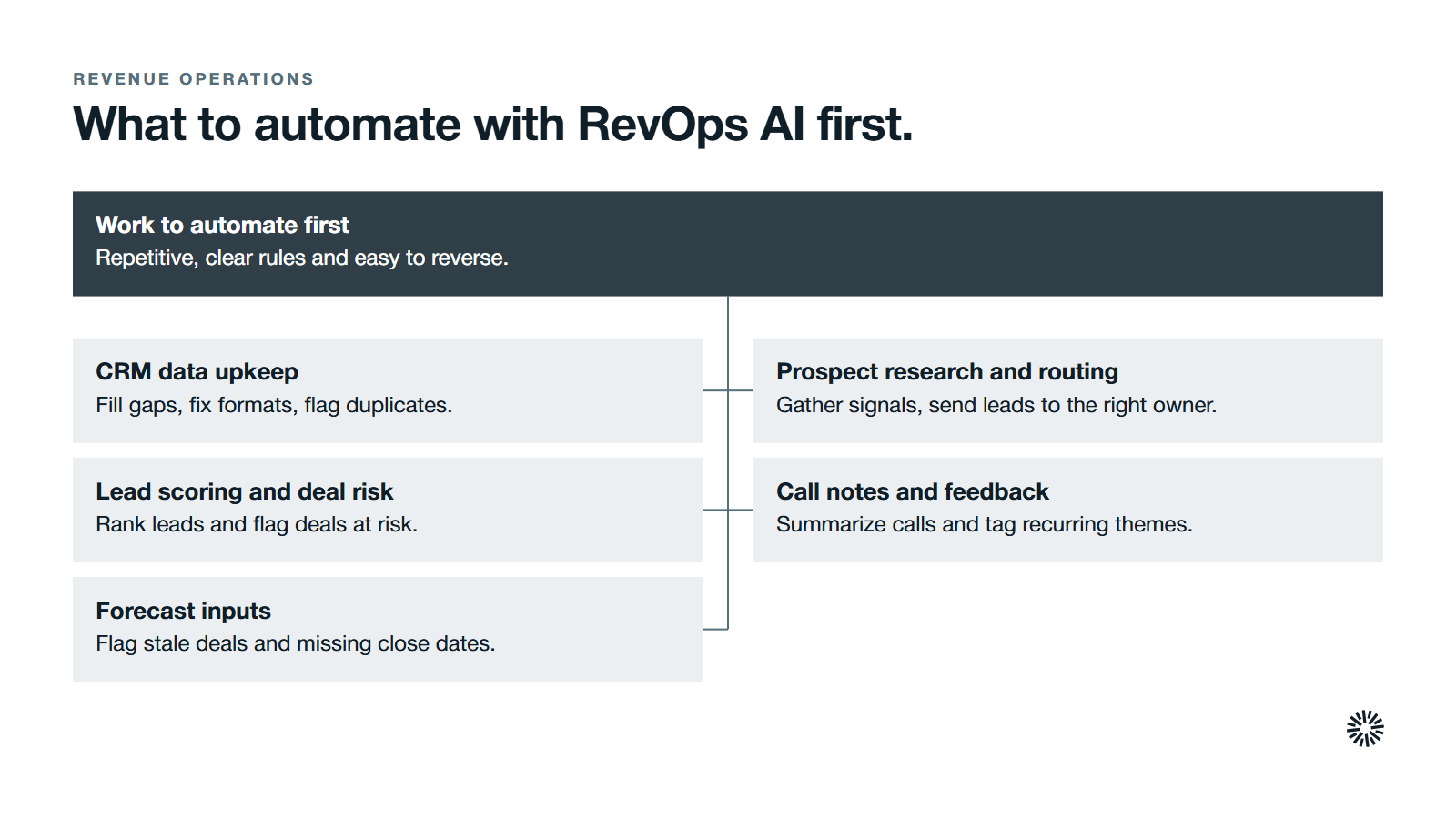
Point AI tools at work with three traits: it is made of repetitive tasks, the rules are clear enough to write down, and a mistake is cheap to catch and reverse. Start there, replace the manual processes first, and widen only after the output proves reliable.
Automate CRM data upkeep and enrichment
AI agents can fill missing fields, standardize formats, flag duplicates and add context to CRM records, which removes the manual data entry that eats hours every week and leaves outdated CRM data behind.
Data management is the natural first use case. Accurate data also supports data consistency between tools, so the same customer reads the same way in marketing, sales and support.
Set the rules before you switch anything on. Decide which system owns each field and which fields AI agents may overwrite. Our article on what to automate in a CRM goes deeper on that boundary.
Automate prospect research and lead routing
Research is a good job for an AI agent, because it gathers public signals such as intent data and summarizes them. Lead routing is a good job for automation, because the rule is explicit: this territory, this segment or this score goes to this owner.
Both jobs shorten the time between a buyer showing interest and a person responding, which is the gap our guide to speed to lead explains. Let AI agents prepare the first draft of outreach, and let a rep approve it.
Routing can also learn from engagement and past behavior, so the right rep sees the right lead first.
Less research time shortens the sales cycle and keeps the sales pipeline full of well-matched accounts.
Automate lead scoring and deal risk flags
Predictive lead scoring ranks prospects by studying which past leads converted. The same approach watches engagement and historical patterns to flag deals at risk and estimate how likely each is to close. Our guide to lead scoring covers the model design.
Automate call notes and customer feedback analysis
Meetings and tickets produce a large amount of unstructured information that nobody has time to read. AI can analyze sales calls, summarize them, and tag recurring themes in customer feedback so that patterns surface without a manual review.
This is where customer success teams gain most. Support calls, renewals and customer inquiries become searchable signals about risk and expansion, which supports efforts to increase net revenue retention.
Churn models flag accounts that show early signs of disengagement, and health monitoring points to accounts ready to expand.
Automate the inputs to accurate sales forecasting, not the forecast call
AI-powered sales forecasting starts with preparation. It can flag stale deals, surface missing close dates and combine data from multiple sources, then spend its time analyzing historical data and market trends for patterns, work that is slow to do by hand.
Better sales forecasting comes from cleaner inputs, and these make accurate sales forecasting more likely. To increase forecast accuracy, fix the inputs first. The call itself stays with people, which the next section explains. Our guide to revenue forecasting shows how the pieces fit together.
How AI-driven insights support data-driven decision making
Automation does the work, but insight is what leadership uses. Data analysis that depends on manual exports is slow. Analyzing data where it lives, using revenue data from the CRM, billing and marketing data, shows where deals stall and which segments convert, so decisions come faster.
The value is in turning that pile of numbers into actionable insights. A leader needs to know which accounts need attention this week, not read a report on every account. Good AI-generated insights say what changed, why it matters and what to do next.
Machine learning models behind these tools learn from past behavior, so they help most when they identify patterns that would take a person weeks to find. Treat their output as a prompt for a conversation, not a verdict, because data-driven decisions still need a human who understands the business.
Track a few key metrics to judge whether the insights earn their place:
- Sales performance: win rate, deal velocity and quota attainment before and after a change.
- Pipeline health: coverage, stage conversion and time in stage.
- Acquisition cost and lifetime value: CAC alongside customer lifetime value, so efficiency gains show up in unit economics.
- Operational efficiency: admin hours saved per rep.
Where AI-powered tools fit in your revenue operations stack
Most teams need the tools they already own to work together. A good revenue operations stack has one source of truth, and AI tools sit on top of it rather than around it.
Think of three layers: a data layer where records stay clean, an automation layer that moves data and triggers actions, and an AI layer where AI agents read the data and propose actions.
Unified tools remove data silos and keep teams on shared records, but weak data integration breaks all three layers.
If systems disagree, AI agents will act on the wrong version. Automating data integration between your core tools, and agreeing field ownership, is therefore step zero for any revenue operations strategy that includes AI.
Choose revenue operations tools that read from and write back to the CRM, and ask who owns it, what it changes and how you turn it off. If you cannot answer, the entire tech stack becomes harder to trust.
What to keep human in your revenue operations
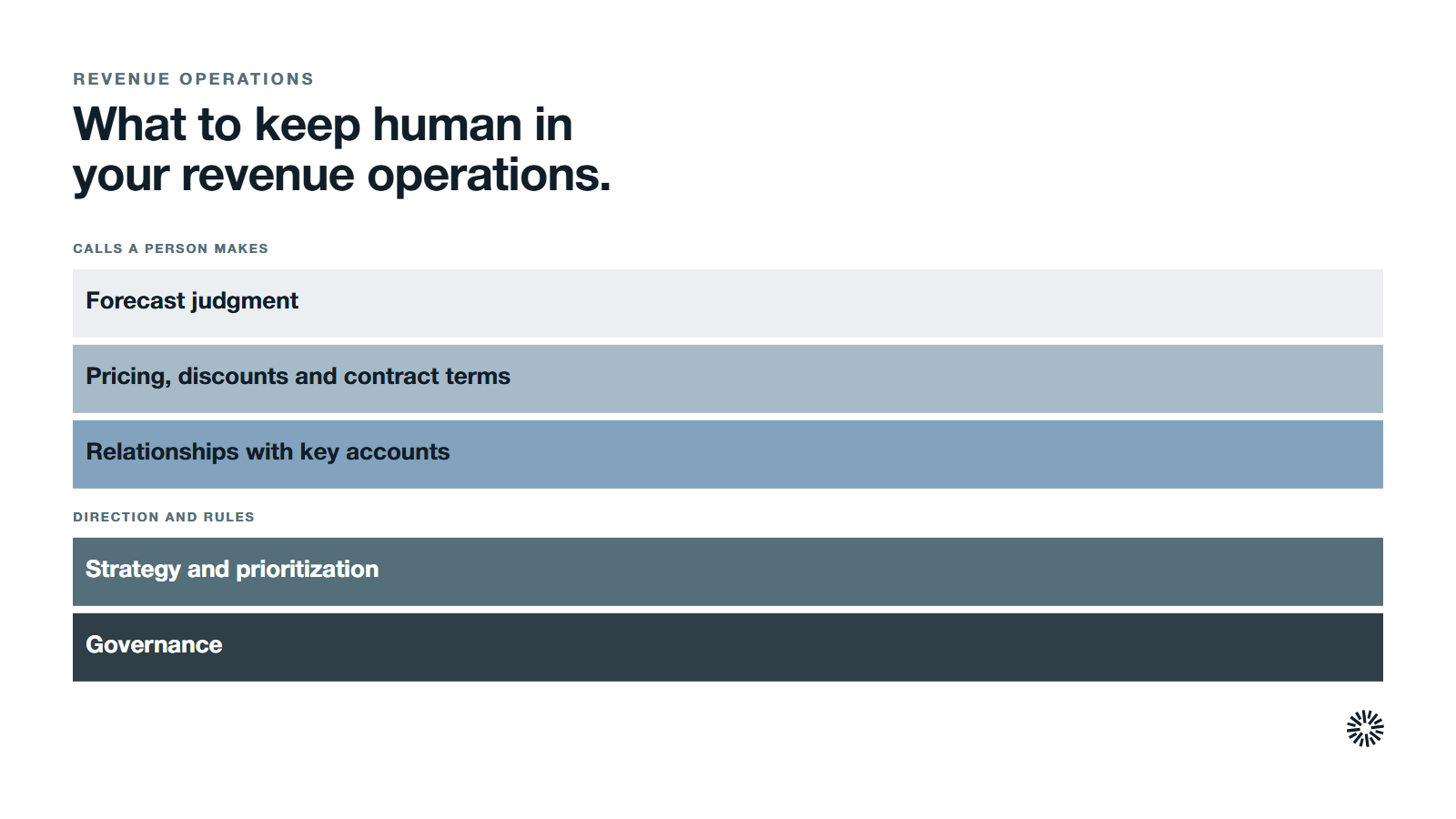
AI can draft, sort and flag. It cannot own the outcome. A few jobs stay with people, whatever the tooling can do.
- Forecast judgment. HubSpot's own forecast tool guide describes managers adjusting the forecast based on their knowledge of the deals. That knowledge is the part a model lacks.
- Pricing, discounts and contract terms. These carry commercial risk and need an accountable owner.
- Relationships with key accounts. A buying committee responds to a person who understands its situation.
- Strategy and prioritization. Which segments to chase, and which to drop, is a leadership decision that sales strategies depend on.
- Governance. Someone must own the rules, the permissions and the review of what AI agents produce.
Keep a person in the loop for anything a customer sees
A good rule is simple. If a customer or prospect will read it, a person approves it until the error rate is proven low. The prospecting agent drafts outreach, and your rep keeps the final send.
HubSpot's help pages also remind admins to configure generative AI settings and to avoid sharing sensitive information in prompts. Treat those settings as part of your revenue operations strategy, not an afterthought.
What this means for your revenue team this quarter
The trend is not that AI replaces the revenue operations team. It is that the team's work shifts from doing the repetitive steps to designing, supervising and fixing the system that does them.
Revenue operations exists to align sales, marketing and customer success and to show where the revenue process breaks down. When RevOps AI supports that alignment, handoffs between teams improve the customer experience.
That makes the revenue operations professional more important, not less. Someone has to define the data rules, wire the integration between tools, decide where AI agents may act and measure whether it helped. This is also how revenue teams drive revenue growth without adding headcount to the back office.
It also raises the cost of a messy stack. AI agents act on whatever the stack holds, so data silos and multiple sources of the same fact become bigger problems. Our RevOps maturity model can help you see where yours stands.
How to take the first step in 30 days
You need one workflow, one owner and one measure.
- Pick one repetitive workflow. Choose a job such as duplicate cleanup, lead assignment or call summaries, where the rules are clear and mistakes are easy to catch.
- Write the rules down. Name the data fields involved, who owns them and what AI agents may change.
- Run it with review. Have a person approve every output for the first weeks and note each correction.
- Measure one result. Track the time saved, the error rate or the response time, and compare it with the baseline.
- Expand only when it holds. Add the next workflow after the first one is stable.
If you are unsure where to begin, a HubSpot audit shows which workflows and data problems come first. Once one workflow holds, you can automate workflows in the next area with the same pattern.
What you gain when this is done properly
What sales gains
Sales teams get a cleaner sales process and a clearer view of the pipeline, and sales reps spend less time on research and data entry and more on conversations. That lifts sales performance.
Routing rules put new interest in front of the right owner quickly, and the CRM contains the history they need before a call. Aligning sales and marketing teams on one set of records also gets easier.
What marketing gains
Marketing teams work from cleaner customer data, so reports are easier to trust and audiences can be segmented dynamically from live signals.
Generative AI can then draft personalized campaigns from customer behavior, with a person approving the message. Feedback analysis shows which messages land, which helps with resource allocation and campaign choices, and handoffs to sales carry more context.
What customer success gains
Customer success teams see risk and expansion signals earlier, because calls and tickets are summarized rather than ignored. That gives the team time to act across the entire customer lifecycle, from onboarding through renewal, and to see the entire customer journey in one place. Across the entire revenue lifecycle, every handoff carries more context.
Start with the data, then add the AI agents
AI in revenue operations pays off when the data underneath it is sound and a person owns each decision that matters. Automate the repetitive work, keep humans on judgment, and add AI agents one workflow at a time.
Propello is a HubSpot partner that designs and builds connected go-to-market systems on HubSpot. If you want to know which parts of your revenue operations are ready for AI, an audit is the place to start. For background on the discipline, see what RevOps is.
