If you lead sales, marketing or revenue operations at a growing B2B company, you already know the pattern. Marketing hands over a pile of leads, sales works the loudest ones, and everyone argues about quality in the pipeline review.
Lead scoring settles that argument with a shared number, which lets your marketing and sales teams agree on who deserves attention first.
This article shows you how to build a lead scoring model in HubSpot that your reps will trust and use. You will agree what a good lead is, turn it into criteria and point values, set thresholds, and connect each threshold to an action.
|
Lead Scoring Lead scoring is the practice of giving each lead a numerical value, based on who they are and what they do, so your teams can rank leads and act on the most promising first. |
Why lead scoring is important for sales and marketing teams
Every revenue team has more leads than time. A scoring model combines demographic and behavioral data into one objective quality rating, which keeps marketing and sales working from the same view.
Lead scoring is important because it gives the sales team a reason to call one lead before another, and gives marketing teams a way to show which leads are worth the handoff.
It also supports the sales process after the call. A lead scoring system leaves a record of why a lead was prioritized, which makes pipeline reviews and revenue forecasts easier to explain. Reps can prioritize leads quickly, and managers can see whether the right leads are reaching the right people.
Marketing gains too, because the score shows which campaigns and content attract the leads that sales values, so budget and effort go where they count.
What you will have at the end
By the last step you will have a written scoring model, not just a configured tool. It will name the fit and engagement criteria you score, the point values behind each, and the threshold at which a lead becomes a priority lead.
You will also have a handoff rule that says what sales does when a lead crosses that threshold, and a review rhythm that keeps the model honest.
A solid lead scoring system gives sales ready leads a clear path, and a score nobody acts on is only a number. The aim is a score that changes what your reps do on Monday morning.
What to have in place before you start
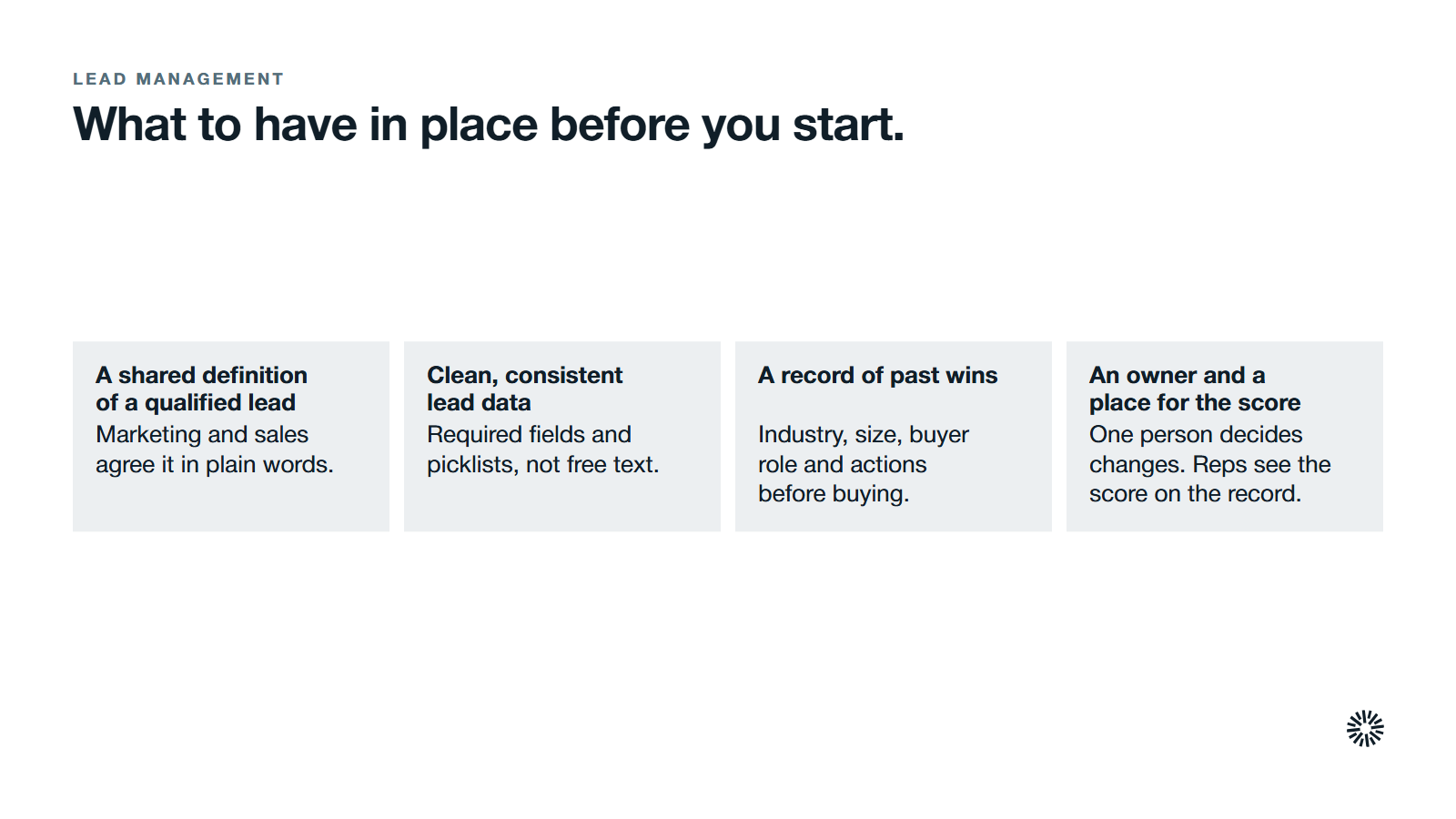
Scoring amplifies whatever data and agreements already exist. If those are weak, the score will be weak, so a short preparation pass saves weeks of rework later.
A shared definition of a qualified lead
Sit marketing and sales teams in one room, with a live example of a deal you won, and agree what qualified leads look like. Write it down in plain words: the kind of company, the role of the buyer, and the behavior that signals real interest.
These become your scoring criteria. Your model is only a translation of that agreement into points.
Clean, consistent lead data
Scoring reads lead data such as job title, company size and annual revenue. If those fields are empty or filled with free text, the score cannot see the lead properly. Fix required fields and picklists first. Our guide to keeping a HubSpot CRM clean covers the routine.
Data trust is a real problem on revenue teams. Salesforce's 2024 State of Sales research found that only 35% of sales professionals completely trust the accuracy of their organization's data.
Its 2026 State of Sales report found that 79% of high performers prioritize data hygiene, compared with only 54% of underperformers.
A record of past wins
Pull a list of customers you closed in the last year or two. Note their industry, size, the target customers they match, the role of the person who bought and the actions they took before buying: pages visited, meetings booked, emails answered.
This history is the evidence behind your criteria, and it shows the customer journey that led to each sale.
An owner and a place for the score to land
Name one person who owns the model and decides changes. Then decide where the score will live. In HubSpot, a lead scoring tool stores the score in properties on the contact or company record, so reps see it where they already work.
Lead scoring in seven steps
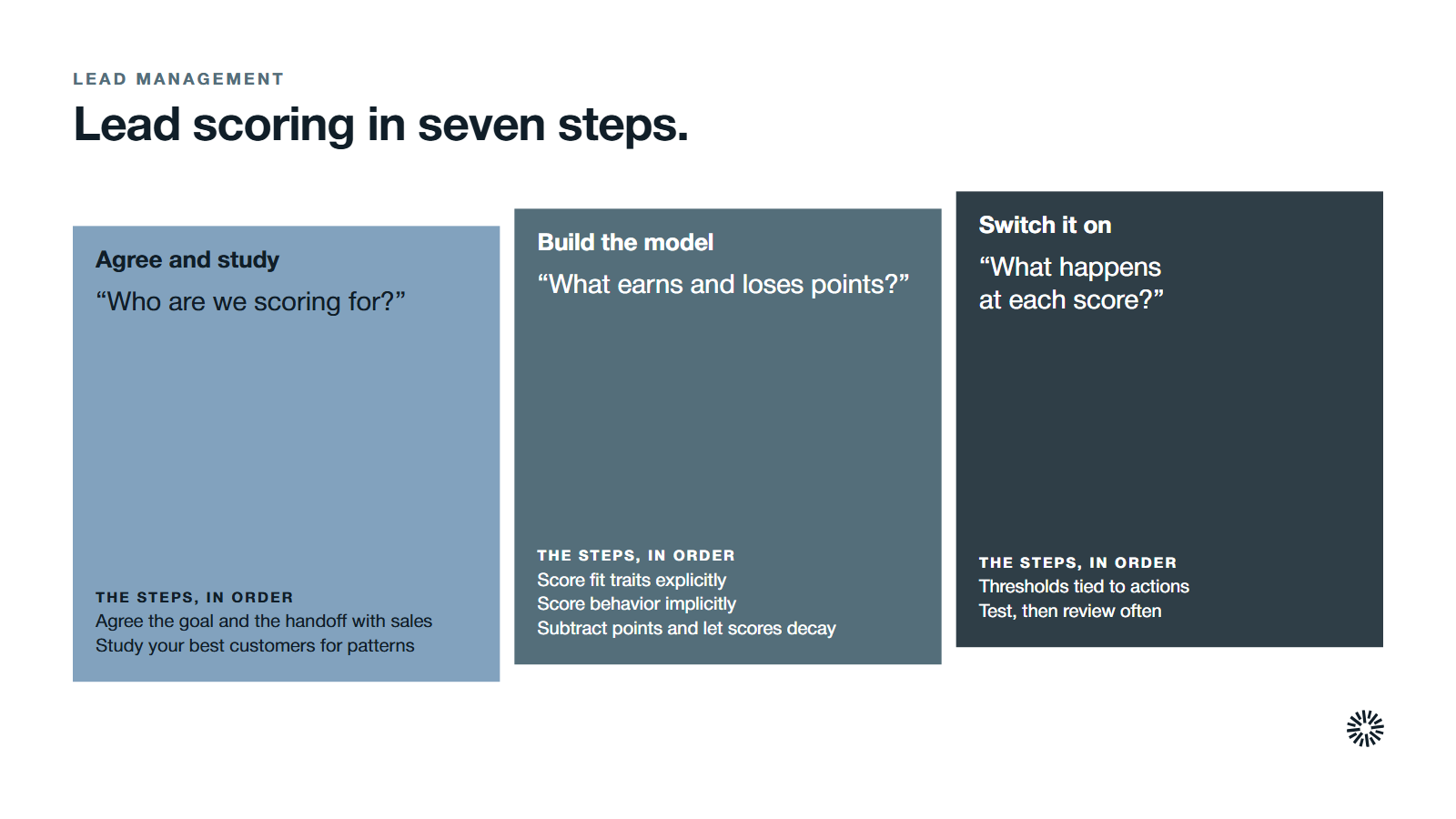
Work through these in order. Each step ends with a description of what done looks like, so you know when to move on.
1. Agree the goal and the handoff with sales
Decide what the score is for. Most teams want one of two things: ranking inbound leads so reps call the best first, or deciding when a marketing lead is ready to pass to sales.
Ask the sales team for direct feedback on past leads, and what they would want to see on a record before picking up the phone. This is how you align sales with the model from the first day.
Link the goal to your lifecycle stages. In HubSpot, lifecycle stages include Marketing Qualified Lead and Sales Qualified Lead, and the score can be the trigger that moves a record between them. Our post on MQL vs SQL explains where to draw the line between the two stages.
Done looks like this: a one-page note, signed off by sales and marketing, that states the goal, the handoff stage and who acts on a high score.
2. Study your best customers to find the patterns
Compare your closed-won customers with leads that went nowhere, using the data points you already hold. Look for traits that separate them: industry, company size, job title, source, and early behavior such as pricing page visits or demo requests. Ask reps which signals they trust, then check those against the data.
Keep the list short. A model with too many criteria becomes hard to explain and harder to maintain, and reps stop believing it.
Done looks like this: a shortlist of roughly five to eight fit traits and five to eight engagement behaviors, each backed by an example from real deals.
3. Turn fit traits into explicit scoring
Explicit scoring rates what a lead tells you or what you can verify: job title, company size, annual revenue, industry and location. This is demographic information about the person and the lead's company, and it describes how closely a lead matches your ideal customer.
In HubSpot they are built from property rules, and the tool calls the result a fit score.
Assigning numerical values is the core of the work: give each rule a point value that reflects how much it matters. A decision-maker title at a target-size company deserves more than a student email address. Keep the scale simple so anyone can read a score and know why it is high.
Done looks like this: every fit criterion has a point value and a reason, and a group limit stops one trait from dominating.
4. Turn behavior into implicit scoring
Implicit scoring rates the lead's actions, which is behavioral data. Scoring leads based on behavior means counting pages viewed, emails opened, forms submitted, meetings booked and demo requests. Together they show potential customers' behaviors over time. In HubSpot these are event rules, and the result is an engagement score.
Weight high-intent actions far above casual ones. A demo request says more than a blog visit.
Use frequency and timeframe settings so repeated actions count properly and old activity does not. Our article on turning intent signals into sales action explains which signals deserve the most weight.
Done looks like this: a ranked list of behaviors with point values, where the highest values belong to actions that happen close to a buying decision.
5. Add negative points and score decay
Effective lead scoring also subtracts. Negative points reduce the score for signals that mark a poor fit or lost interest: a competitor's domain, a role that never buys, an unsubscribe, or a bounce. HubSpot rules can add or subtract points, and a score goes negative if more points are removed than added.
Then handle time. HubSpot's score decay reduces the value of an event as it ages, so a lead who visited six months ago stops looking hot.
Done looks like this: a short list of negative criteria and a decay setting for each behavior, so scores fall when interest fades.
6. Set thresholds and connect each one to an action
A score only matters when it triggers something. That is lead prioritization in practice: the score tells the team where to focus.
Set threshold bands, such as high, medium and low, and decide what happens at each.
HubSpot's help pages show an example with a high band for scores of 70 to 100, medium for 40 to 69 and low below that, using a default maximum of 100 points per score; the lead score builder guide walks through the settings.
A hot lead should never wait in a queue. Connect the high band to a marketing automation workflow that assigns the lead to a rep and creates a task. Our post on lead routing shows how to design that handoff, including who owns a lead and how fast they respond.
Agree a service level agreement, written down, for how soon a rep follows up on a priority lead.
A lead that crosses the high threshold can be treated as a sales-qualified lead, and an automatic alert can tell the rep to reach out while the lead's interest is fresh.
Done looks like this: each threshold has an owner, an action and a response time, and the workflow is ready to test.
7. Test on real records, turn it on and review on a schedule
Before launch, test the model on records you know well. HubSpot's builder lets you test a record and preview the score distribution. If your best customers score low, or poor leads score high, adjust the point values until the ranking matches what reps expect.
After launch, use score history and performance reports. HubSpot's score history and performance page explains how to see why a score changed and how records spread across your thresholds. Put a review on the calendar every quarter.
Done looks like this: the model is live, reps can see why a lead scored as it did, and a dated review is booked with sales in the room.
Explicit and implicit scoring in a worked example
The numbers below are illustrative, not benchmarks. They show how fit and engagement combine for one imaginary lead, so you can see the arithmetic behind a score.
| Signal | Type | Points |
|---|---|---|
| Job title is a director or above | Explicit | +20 |
| Company is in the target size range | Explicit | +15 |
| Visited the pricing page | Implicit | +15 |
| Requested a demo | Implicit | +30 |
| Opened two emails | Implicit | +4 |
| Email domain is a personal mailbox | Negative | -10 |
| Total | Combined | 74 |
With a high band starting at 70, this lead crosses the line and goes to a rep. Without the demo request the total would be 44, which lands in the medium band and stays in nurture. The demo request is the signal that tips the decision, as it should.
Which type of lead scoring model fits your team
Lead scoring models fall into three common types, and many teams use a mix. Whichever you choose, the scoring system should stay simple enough for a rep to explain to a colleague.
Manual rules-based scoring
You choose the criteria and the point values yourself, as in the steps above. This is the best starting point because everything is visible and sales can challenge any rule.
It is also time-consuming and prone to errors, because people maintain the rules by hand and can miss a change in buyer behavior. It needs regular review, since the rules only change when you change them.
Predictive scoring
Predictive lead scoring uses historical data on past conversions to find the patterns that separate buyers from non-buyers. HubSpot describes building lead scores with AI, which needs enough converted and non-converted records to learn from. The upside is less manual guesswork; the cost is that reps may find the reasoning harder to follow.
This approach is becoming common. Salesforce's 2026 State of Sales report found that 87% of sales organizations use some form of AI for tasks like prospecting, forecasting, lead scoring or drafting emails.
Combined fit and engagement scoring
A combined score holds both a fit value and an engagement value, so you can see at a glance whether a lead is a good match who is not yet active, or an active lead who is a poor match. That distinction changes the action: nurture the first, qualify the second carefully.
What to look for in lead scoring software
Any lead scoring tool you consider should do a few things well. It should let you build separate fit and engagement scores, add negative points, apply decay, show the reasons behind each score, and push results into the marketing tools your team already uses.
It should also keep working with your CRM data rather than copy it elsewhere. Lead scoring software that sits apart from the record forces reps to look in two places, and they will stop looking.
Lead scoring best practices and mistakes to avoid
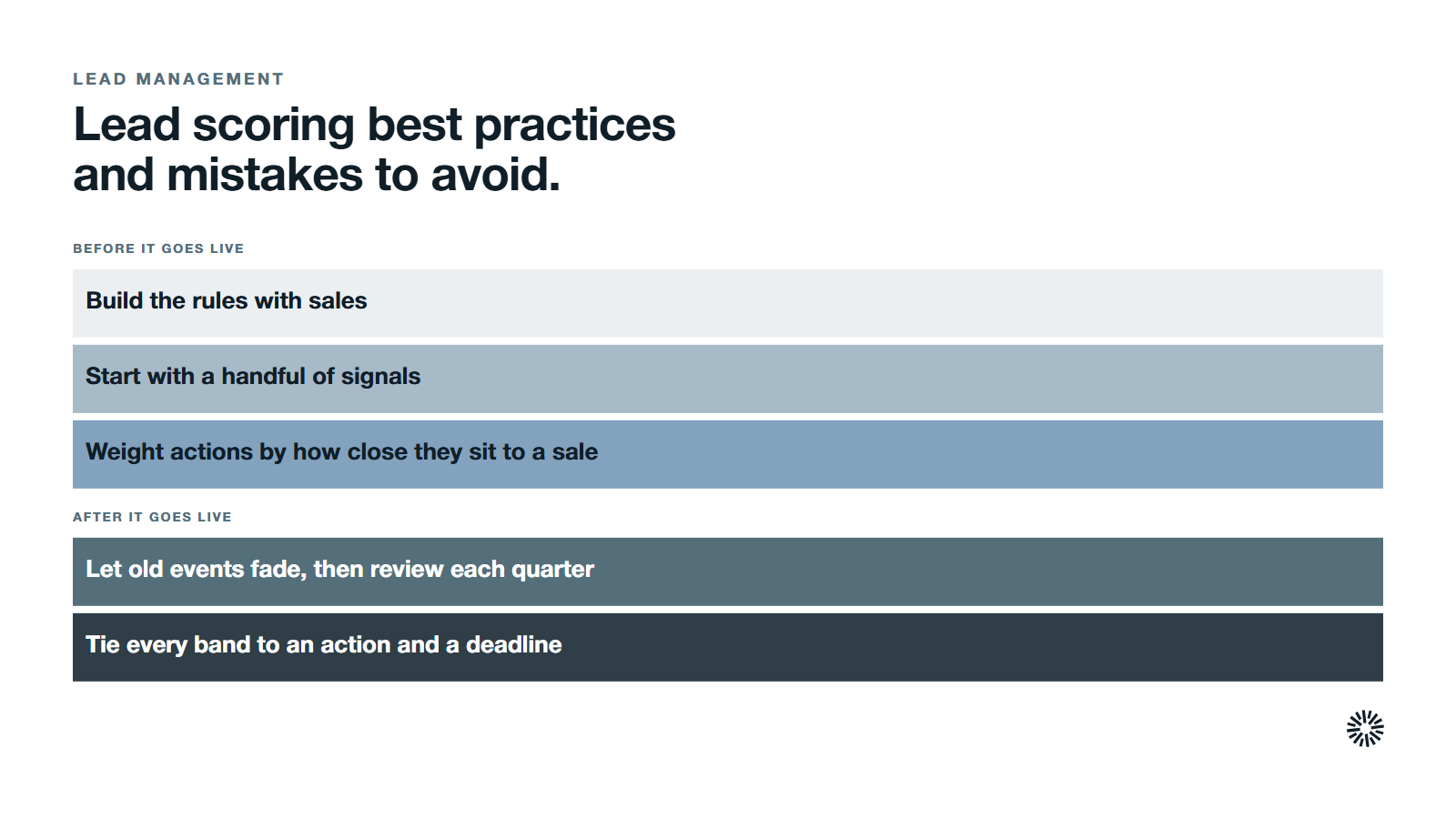
Most failed scoring models fail for the same few reasons. Check yours against this list.
Building the model without sales
If sales did not help write the criteria, they will ignore the output. Build the rules together, and tell reps how each score is calculated. A lead scoring roadmap with dated reviews keeps them involved.
Scoring too many things
Too many criteria produce a score nobody can explain. Start with a handful of signals that clearly separate buyers from browsers and add more only when the data shows a gap.
Treating every action as equal
An email open and a pricing page visit are not the same. Weight actions by how close they sit to a purchase, and cap low-value actions so volume alone cannot push a lead over the line.
Forgetting negative scores and decay
Without negative points and decay, scores only climb. Old leads drift into the high band for activity that happened months ago. Subtract for poor fit and let old events fade.
Setting the model and never reviewing it
Your market, offer and buyers change. A model that was right last year may be wrong now. Regular calibration of scoring criteria keeps the model accurate. Use historical lead data and compare scores with closed deals each quarter, then retune the point values.
Using the score without a next step
If crossing the threshold does not trigger an assignment, a task or a message, the score is decoration. Tie every band to an action and a deadline.
What you gain when this is done properly
Sales
Reps spend their time on the promising leads most likely to buy, so more qualified leads reach a real conversation.
They see why a lead scored as it did, which gives them something specific to say on the first call. Sales productivity improves because the list is ranked before they open it, and disputes about lead quality have a shared reference.
Marketing
Marketing campaigns can be judged on the quality of leads they produce, not only on volume. Personalized marketing campaigns become easier too, because the score shows what each group cares about.
When you can see which sources and content produce high scores, you can shift effort toward them. Marketing also gets a clear target to hand over, which makes alignment with sales practical.
Customer success
Scoring is not only for new leads. Engagement scores on existing companies show which accounts are active and which are going quiet, so customer success can step in earlier. Accounts that look like your best customers also point to where expansion is most likely.
Make your lead scoring model work with the rest of your revenue system
A scoring model sits inside the sales funnel and a wider operating system: lifecycle stages, routing, reporting and data hygiene. If any of those is loose, the score loses force. This is the kind of design work that revenue operations exists to own.
Propello is a HubSpot partner that designs and builds connected go-to-market (GTM) systems on HubSpot. If your scores exist but sales does not use them, a GTM audit is the place to start.