If you lead revenue at a B2B company and are choosing between HubSpot CMS and WordPress, the short answer is this: pick HubSpot CMS when the website should run on the same platform as your customer data, and WordPress when you want full control of an open source site and can maintain it.
Both are a content management system that can run a serious B2B website. They differ in who carries the hosting, security and upkeep, and in how closely the site connects to your CRM. For the full picture, read our complete guide to b2b website design.
This article is for CEOs, founders, CROs and marketing leaders who have to decide. You will get a plain definition of each platform, a side-by-side comparison on the same criteria, the cases where each one wins and five rules for deciding.
|
HubSpot CMS HubSpot's AI-powered content management system and content marketing platform, where teams build and manage website pages, landing pages and blog posts and connect that content to the HubSpot CRM. |
|
WordPress WordPress is a free, open source content management system, built on PHP and MariaDB and licensed under the GPL, that you install on your own hosting and extend with themes and plugins. |
A content management system does the same basic job on both platforms
A content management system lets people create, manage and publish digital content without writing code each time. A web content management system applies the same idea to a website: pages, blog posts and landing pages, plus the media and permissions behind them. Most also include basic digital asset management for images, PDFs and other assets.
That is why every popular CMS shares a similar core, and why web content management tools are easy to compare.
What differs is how the CMS software is put together. A traditional CMS typically ties the content management application, where editors work, to the content delivery application that shows pages to visitors. A headless CMS keeps only the content store and sends content to any presentation layer through an API. A hybrid CMS offers both.
Both platforms here lean traditional, with API access for teams that want more. The right CMS for you depends less on that label and more on who will run it, so keep your business needs in view as you read. Managing digital content well matters more than the architecture diagram.
HubSpot CMS keeps your website and customer data on one platform
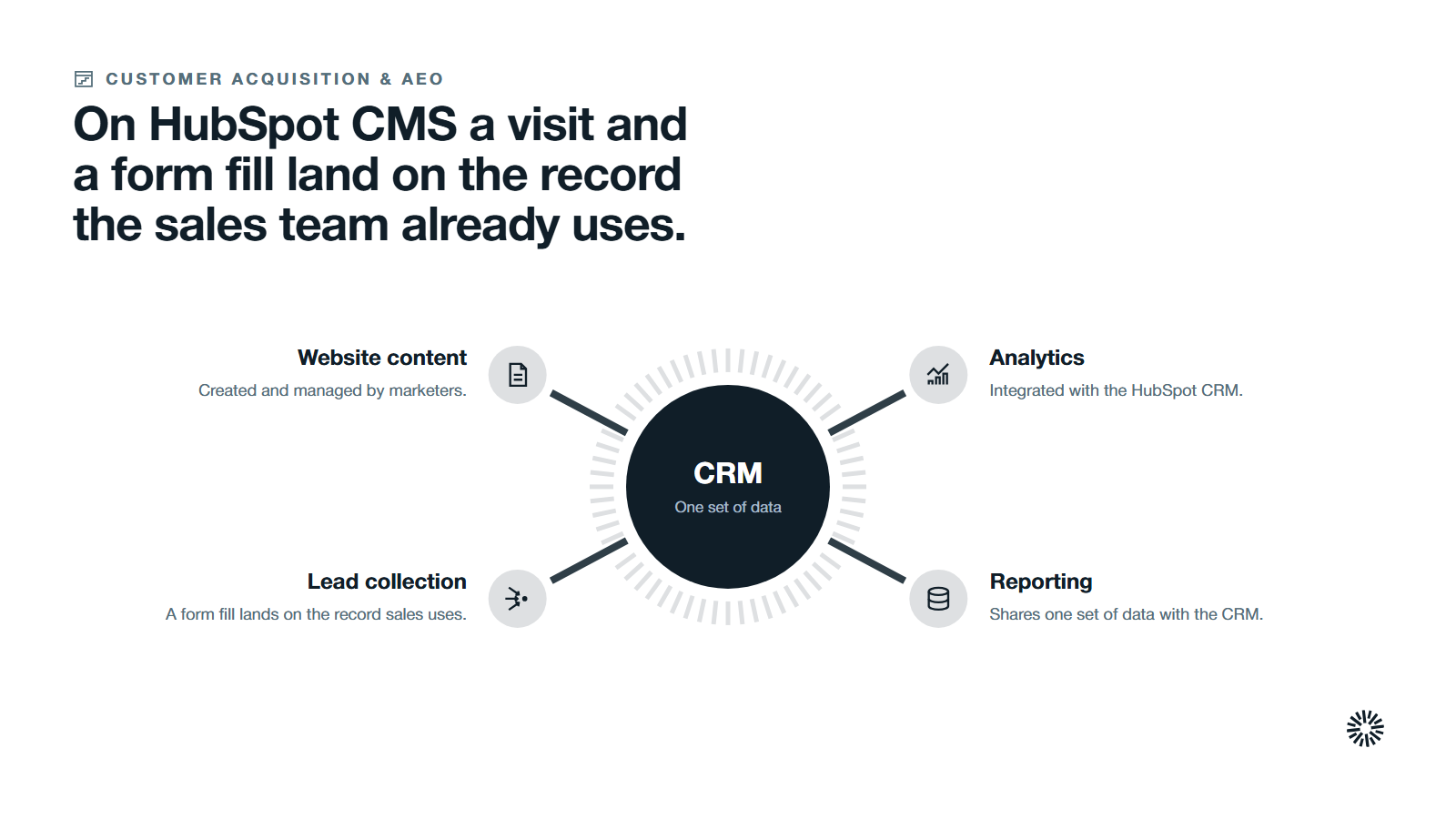
HubSpot's developer documentation describes the CMS as built to help businesses grow their web presence, with an emphasis on marketers who create and manage web content. The website's content, lead collection and analytics are integrated with the HubSpot CRM, so a visit and a form fill land on the record your sales team already uses.
Forms, the CRM and reporting are HubSpot tools that share one set of data.
For a fuller tour, read our guide to what HubSpot Content Hub is.
How HubSpot CMS helps you deliver content without running servers
HubSpot takes care of hosting and maintaining your pages, according to its documentation, so you do not manage plugin updates, scaling or security yourself. Pages render on HubSpot's servers and are cached on a content delivery network where possible.
The tradeoff is control. The same documentation says this cloud based CMS puts more restrictions on you than a self-hosted one. You cannot alter system fundamentals, manipulate low-level rendering or edit database content directly.
A theme packages the site, templates build pages and blog posts, and modules are the elements on the page. Developers write in HubL or React, and structured content can live in HubDB tables or CRM records. Serverless functions run server side code that talks to HubSpot and other tools through APIs.
WordPress gives you an open source core and a very large plugin ecosystem
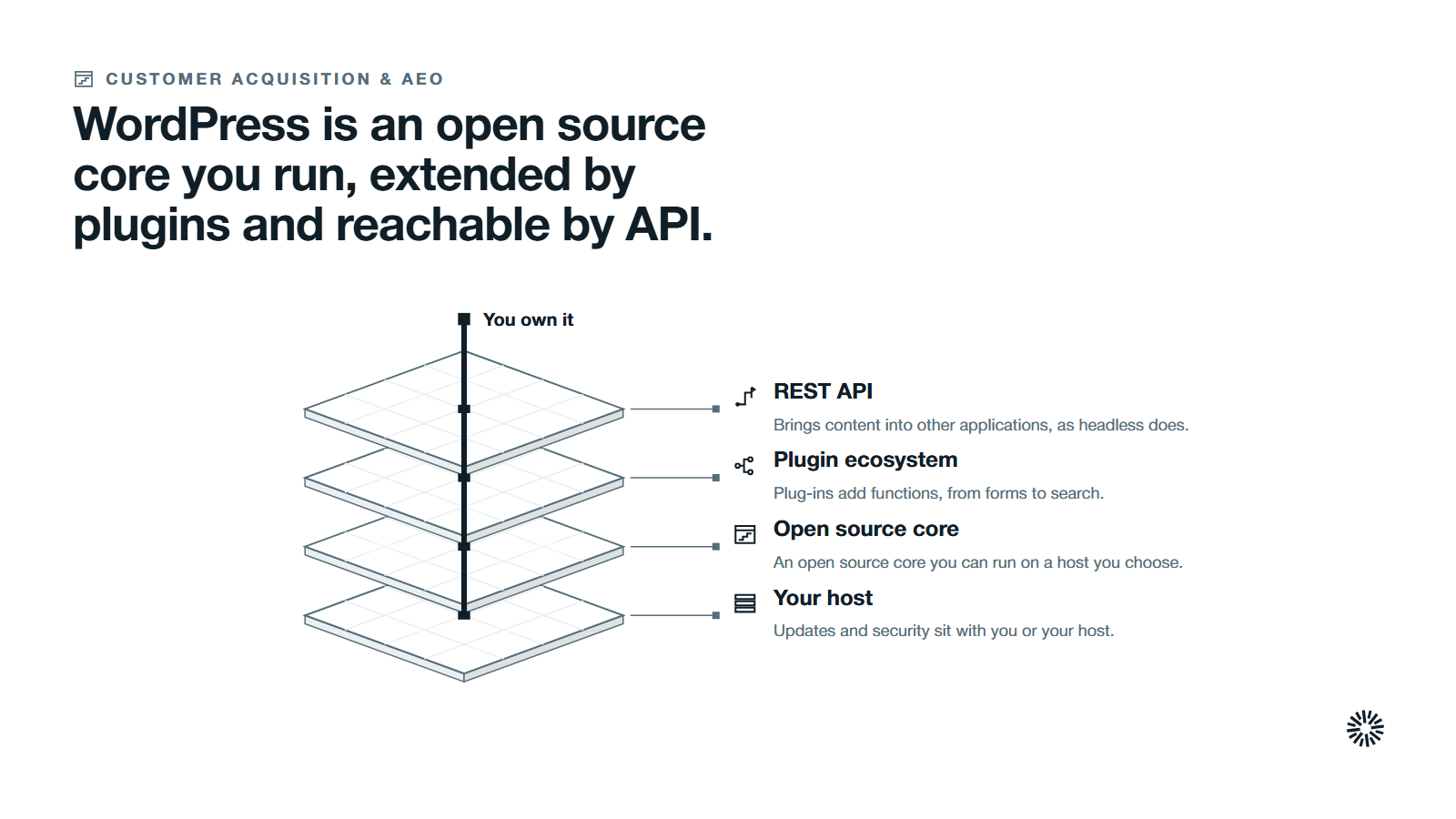
WordPress started in 2003 and, in the words of WordPress.org, is built on PHP and MariaDB and licensed under the GPLv2. You run it on a host you choose and own the result, including your data, because no hosted service sits between you and your content.
Its reach is large. W3Techs, which surveys technology use, reports that WordPress is used by 39.7% of all websites, a content management system market share of 58.5%, in its October 2026 report. As of 15 October 2026, the WordPress plugin directory invites visitors to browse over 75,000 free plugins.
That range is the strength of this open source CMS: plug-ins add additional functionalities, from forms to search. For developers, the REST API handbook shows how to bring WordPress content into separate applications, which is how a headless setup works.
What you run when you run WordPress
Running WordPress means running a small stack. WordPress.org's requirements page recommends a host that supports PHP version 8.3 or greater, MariaDB 10.11 or greater or MySQL 8.0 or greater, and HTTPS.
Updates and security sit with you or your host. WordPress's hardening guide says to keep WordPress up to date, take plugins and themes only from trusted sources and keep backups. It adds that hosts are responsible for the infrastructure, not for the application you install.
HubSpot CMS and WordPress compared on the same criteria
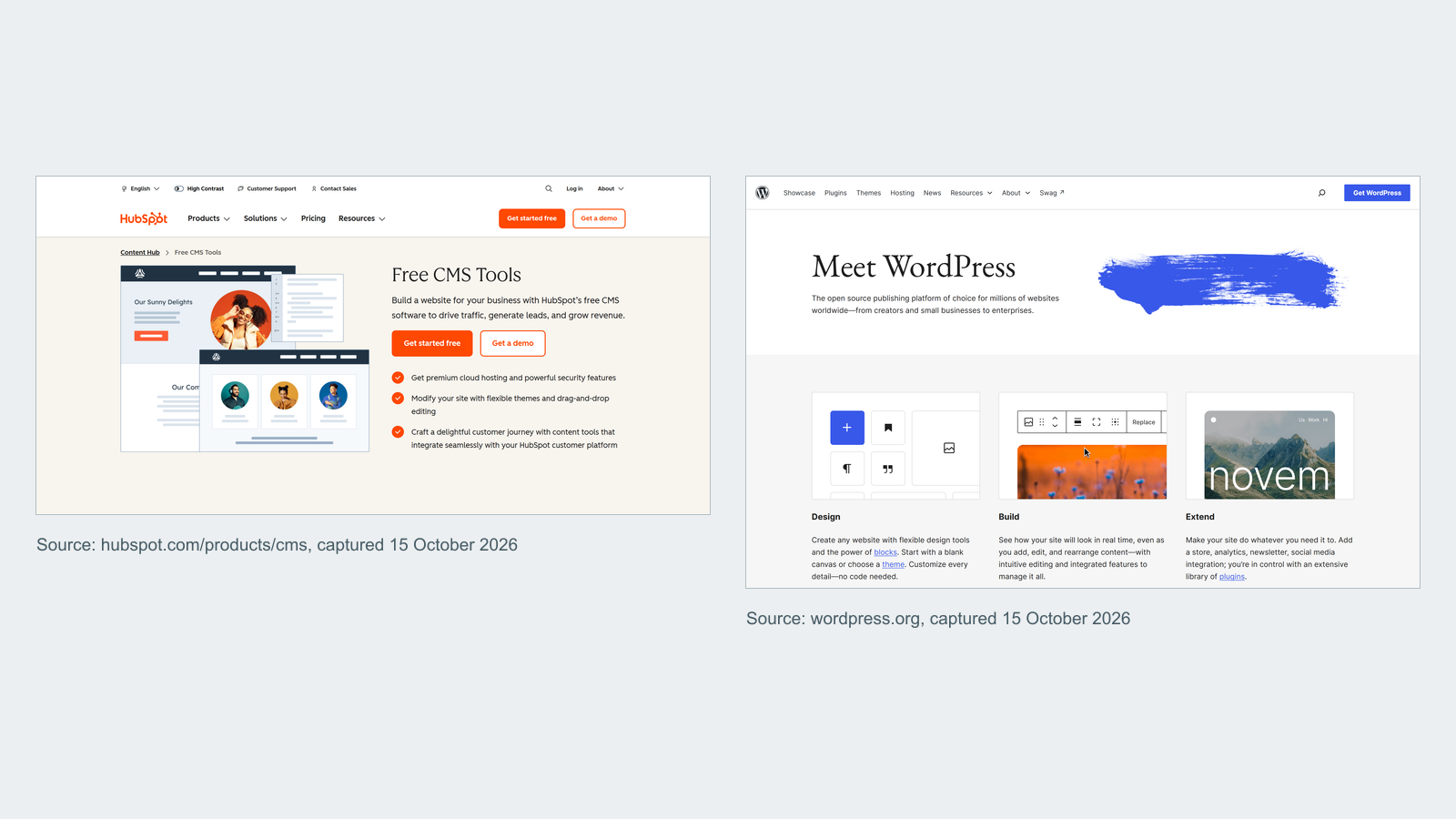
Both support website creation without code for marketers and can publish pages, blog posts and landing pages. The differences show up in who maintains the platform, how the site connects to customer data and how much you can change underneath.
| Criterion | HubSpot CMS | WordPress |
|---|---|---|
| Hosting and upkeep | Hosted and maintained by HubSpot | You or your host run and update it |
| Customization | Themes, templates, modules and HubL, within limits | Full access to code, plugins and database |
| Customer data | Site, forms and analytics tied to the HubSpot CRM | Needs plug-ins or integrations to reach a CRM |
| Editing | Block-based editor with drag and drop areas | Block editor with posts, pages and custom types |
| Security | Handled by the platform, including SSL and a web application firewall | Your responsibility, shared with your host |
| Extending | Apps, APIs and serverless functions | Plugin directory and the hook system |
| Ownership | Content lives on HubSpot's platform | You own and can move the files and database |
Read the table as our summary of each vendor's own documentation, not a verdict. A cell is true for the default setup, and a skilled team can narrow most gaps.
Content creation and publishing differ in the guardrails, not the goal
HubSpot's CMS uses a block-based what-you-see-is-what-you-get editor. Developers can add drag and drop areas so content creators place modules and change layout inside a user friendly interface, which means fewer templates to maintain. Themes keep consistent branding across every page. The same templates and modules build email, in classic or drag and drop form.
WordPress made the block editor its default in December 2018, according to its block editor documentation.
Its features page adds that you can create drafts, schedule publication and review revisions, and its roles and capabilities guide explains role based permissions from administrator to subscriber. Either way, the user interface is where marketers publish content, and the publishing controls decide who can do it.
Content staging and approvals keep launches under control
HubSpot lets you stage a redesign and replace many live pages at once with content staging, and route content through reviewers with approval stages. Complex workflows are part of the platform rather than a plugin you add.
Built-in analytics and the HubSpot CRM keep sales and marketing aligned
On HubSpot, membership pages use the CRM and its lists to decide who can see a page, and dynamic pages can read CRM records, including custom objects. Website analytics sit on the same platform, and other tools connect through the HubSpot marketplace.
On WordPress, the same result needs a plug-in or an integration that sends visits and form data to your CRM, with Google Analytics or another analytics tool alongside. That works, but it is another piece to keep in sync.
Search and artificial intelligence
WordPress.org says WordPress is optimized for search engines out of the box, an SEO friendly start, with SEO plug-ins for finer control.
HubSpot's comparison page lists SEO optimization among the built in SEO tools of its CMS. HubSpot publishes guidance on optimizing content for answer engines and describes its Breeze artificial intelligence features on its comparison page. WordPress.org lists an AI plugin among its beta plugins.
Neither platform ranks a weak page. Relevant content, clear structure and fast pages decide how much organic traffic you earn, as our guide to inbound-ready websites explains.
Where each platform is the stronger choice
WordPress wins when control matters more than convenience
If you need to change how the platform behaves, edit the database or run an unusual integration, an open source system lets you.
It suits teams with technical expertise and a reliable host, and it fits a site that is mostly content with little link to your sales process. If the site must run an online store, check what each e-commerce platform option provides natively and what needs an add-on.
HubSpot CMS wins when the website is part of the revenue system
If your sales team lives in the HubSpot CRM, building the site there removes a layer of integration. It also suits small businesses and lean teams without engineers to run servers, and it eases growth when your business grows into new markets, because multi-language content is supported.
HubSpot's CDN, security and performance overview describes security and a global content delivery network as included by default, with SSL provisioned automatically on connected domains.
What each platform costs once the site is running
The cost sits in different places. WordPress software has no license fee, but you pay for hosting, maintenance, security work, plugins and developer time. HubSpot charges a subscription that grows with seats and the features you adopt, and in return takes on hosting and upkeep, so other tools for security matter less.
Compare total effort, not the sticker. Ask who patches the platform, who answers when a page breaks at night and who fixes a plugin conflict that stops a form. Get current plan details from each vendor before you decide.
Five rules for deciding
These rules are our reading of the evidence and are meant to be argued with.
If your CRM is HubSpot and the site feeds sales, lean toward HubSpot CMS
The closer the site sits to the CRM, the less glue you build.
If you have developers and need deep control, lean toward WordPress
Control costs time, and it only pays off if someone owns it.
If no one will own maintenance, avoid the platform that needs the most of it
Plugin updates, backups and security patches do not happen by themselves.
If the site is mostly a publication, weigh WordPress first
A large archive with editorial roles may value the plugin ecosystem over CRM alignment.
If you are unsure, list the three jobs the site must do
Write down the outcomes that matter, such as booked meetings or faster publishing, and score each platform against them. Our guide to website metrics to measure and track helps you pick the measures.
Moving from WordPress to HubSpot CMS means protecting URLs and tracking
Google's guidance on site moves with URL changes says to map your old URLs to the new ones, use server-side permanent redirects where technically possible and keep them as long as possible, generally at least one year.
The same page says rankings can fluctuate while Google recrawls the site, and that for medium-sized sites new URLs can take a few weeks or more to appear. Check that every form reaches the CRM before launch. If you are weighing a rebuild against steady improvement, read growth-driven design vs traditional redesign.
What you gain when this is done properly
Whichever platform you choose, the gain comes from choosing on purpose and then running it well. A website that fits your team stops being a project and becomes a working asset.
Sales gets pages that explain what buyers read
When site activity ties to the contact record, sales can see which pages a buyer read before the first call.
Marketing publishes without waiting for a developer
Defined templates let marketers update content, launch pages and publish engaging content to other digital channels on their own, while developers stay on the work only they can do.
Customer success gets answers that stay current
Support pages that are easy to update stay accurate, so customers raise fewer routine tickets.
Choose the platform that fits the job, then run it well
The right choice is the platform your team can run well, not the one with the longer list of key features. Many B2B sites do fine on either, and the real risk is a platform nobody owns.
We build on HubSpot, so weigh our view with that in mind.
Propello organizes its work around the commercial problems of its clients, designing and building connected go-to-market systems on HubSpot, from strategy through implementation to continuous improvement, and Propello is a HubSpot partner.
It works with CEOs and revenue leaders at growing B2B companies. If you want a second opinion on which platform fits your revenue team, an audit is the place to start.