
If you lead sales, marketing or revenue operations at a growing B2B company and you are weighing HubSpot vs Salesforce, the short answer is this: choose HubSpot when you want one connected platform that your own team can run, and choose Salesforce when your sales process is complex enough that deep configuration is worth the extra administration.
Neither product is the safe default. The right choice between Salesforce and HubSpot depends on how your team sells, who will own the system and how much of it you expect to customize.
This article is for CEOs, founders, CROs and RevOps leaders. You will get a definition of each platform, a side-by-side comparison on the same criteria, an honest look at cost, and decision rules you can apply to your own team.
|
HubSpot HubSpot is a cloud customer platform that combines a CRM with connected software for marketing, sales, customer service, content management and data management, so every team works from the same customer records. |
|
Salesforce Salesforce is a cloud customer relationship management platform that connects sales, service and marketing teams on shared customer data, and lets administrators and developers extend it through configuration and code. |
HubSpot and Salesforce start from different ideas about CRM software
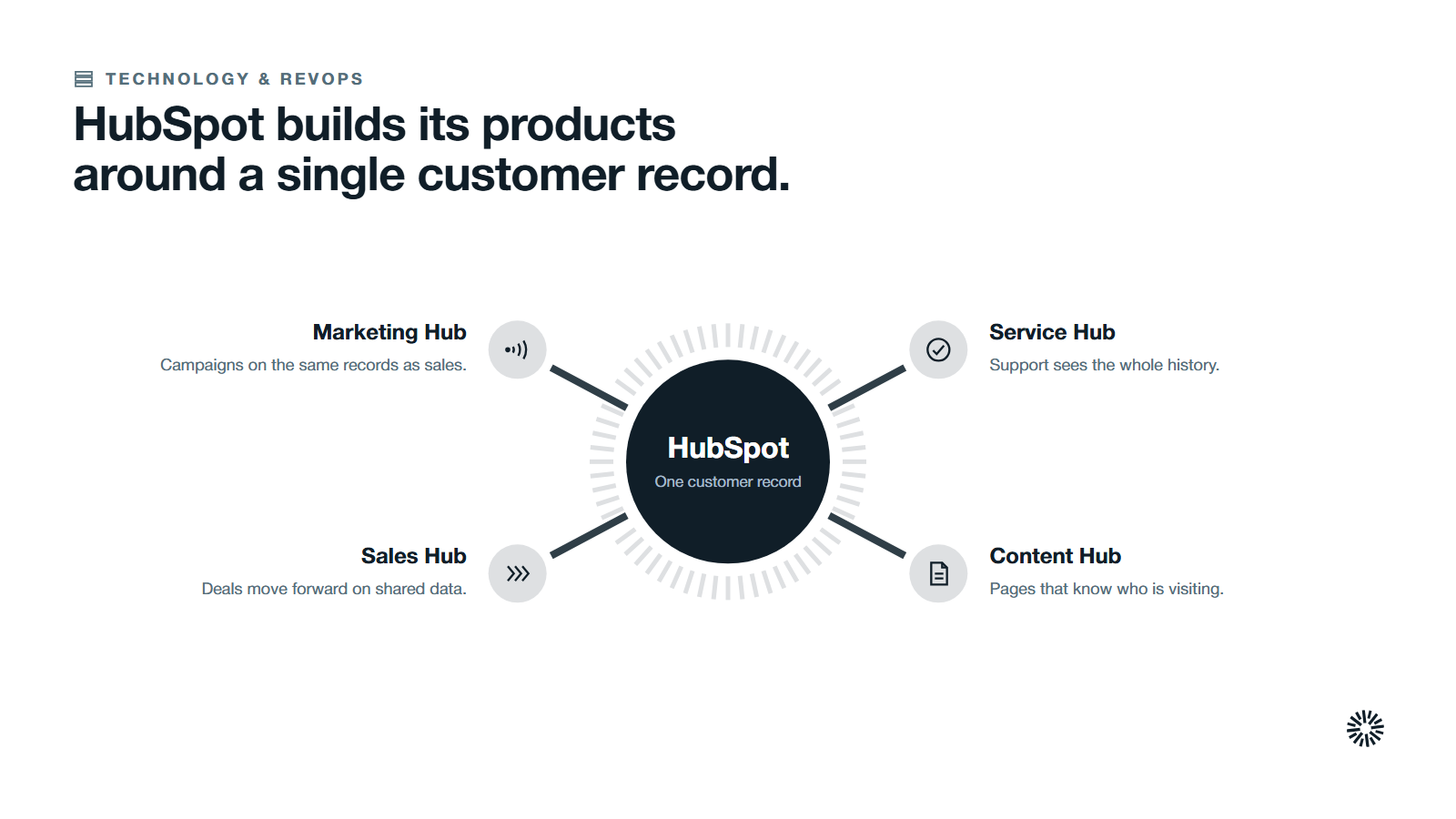
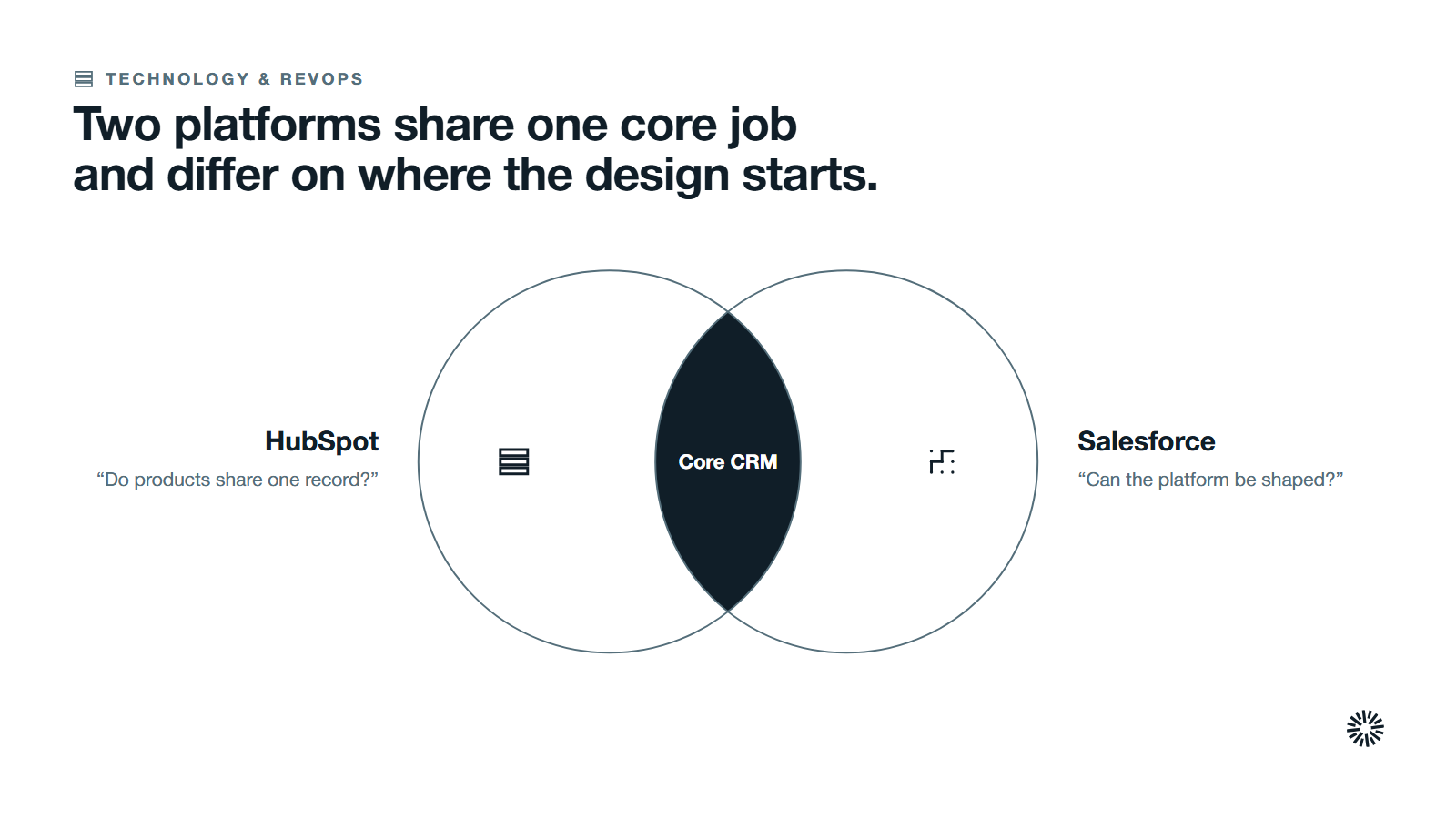
Customer relationship management software exists so a company can manage customer relationships from one shared record instead of scattered spreadsheets and inboxes. HubSpot and Salesforce both do that job. They approach it from opposite directions.
HubSpot starts with a single customer record and adds products around it. Its pages describe tools "powered by a unified customer record" with "no data connectors needed." The HubSpot CRM sits underneath Marketing Hub, Sales Hub, Service Hub, Content Hub and Data Hub. Our guide to what HubSpot is covers that structure in full.
The Salesforce CRM starts with a configurable platform and builds separate clouds on top. Salesforce Sales Cloud sits beside Service Cloud and Marketing Cloud, and the Salesforce platform lets teams build branded sites, portals and apps on the same data. HubSpot's comparison page calls the sales product Agentforce Sales, formerly Sales Cloud.
This difference explains most of what follows. A connected platform is quicker to adopt and easier to keep consistent. A configurable platform asks for more design work and gives you more room to shape the system around an unusual process.
HubSpot vs Salesforce compared side by side
The table sets the two CRM platforms against the same criteria, which is the core of any fair Salesforce comparison. Vendor claims are attributed to the vendor, and judgments are labeled as ours.
| Criterion | HubSpot | Salesforce |
|---|---|---|
| Core design | One customer record shared by every hub | A configurable platform with separate clouds |
| Daily use | Built so customer-facing teams can change things without constant technical support | Tends to need a dedicated administrator (our reading) |
| Customization | Custom objects, properties and workflows, with admin guardrails | Flows, custom objects and code for unusual processes |
| Marketing | Marketing Hub on the same records as sales | Marketing Cloud as a connected product |
| Reporting | Connected reports across sales, marketing and service | Sales analytics and forecasting inside Sales Cloud |
| AI | Breeze, with agents that run on credits | Agentforce, across sales, service and marketing |
| Cost model | Seats plus usage-based credits for agents | Licenses by edition, user count and add-ons |
Read each row as a starting point for a conversation, not a verdict. Both vendors change packaging often, so confirm the current details on the vendor's own pages before you decide.
HubSpot Sales Hub vs Salesforce Sales Cloud: how each handles the sales process
For sales teams, the CRM is where contacts, deals and forecasts live. HubSpot Sales Hub and Sales Cloud both cover these essential CRM tools, and both give sales teams the sales capabilities they use every day. The differences show up in how much setup the team needs and how far the sales process can bend.
Contact management and deal management are strong in both
HubSpot's CRM page says you can "create contacts, keep records up to date, log sales activities, and view communication history, all in one place." Reps log sales calls and emails against the record, and the page describes how sales teams manage deals in the same system.
HubSpot users get that view without a separate setup project, and the Sales Hub page adds email engagement tracking and a pipeline where you can "visualize and manage deals from start to finish."
Salesforce covers the same ground. Its sales page describes Sales Cloud as bringing "agents and sellers together," with sales data that centralizes records and automates CRM updates. For basic contact management, either one works.
Sales forecasting and reporting reward the team that defines its stages first
HubSpot's forecast tool uses deal stages "to forecast revenue based on a deal's likelihood to close," and managers can group deals into forecast categories. Salesforce says Sales Cloud helps you "drive forecast accuracy, grow pipeline, and optimize revenue."
Both vendors also promote dashboards. HubSpot lists built-in analytics, reports and dashboards, and Salesforce promotes customizable dashboards for a real-time view. Advanced sales reporting in either tool, including its advanced reporting capabilities, depends on how cleanly your team records stages and amounts.
Usability matters here, because a tool people avoid produces data nobody trusts. Salesforce has a steeper learning curve, so plan for a dedicated administrator or consultant (our reading), while HubSpot is built for people to administer themselves and tends to reach value sooner for mid-market teams (our reading). Timelines are contested: Salesforce's page argues small businesses implement it quickly, and HubSpot's page argues for ease of use. Measure it in a pilot.
Neither tool fixes a sales process nobody has defined. If your stages are vague, the forecast will be vague in both systems. Agree stage exit criteria first, then build the reports your leaders use to judge sales performance.
Sales automation is where the two styles diverge
HubSpot offers workflows to automate processes across contact, company, deal, ticket and quote records. The same builder serves marketing and service, so workflow automation lives in one place, and HubSpot offers it to sales teams and service teams alike.
Salesforce uses Flow for the same job. Its architect guidance says Flow suits straightforward processes because it is declarative and quick to implement, while Apex gives the granular control that complex solutions need. It recommends Record-Triggered Flow for low automation density, Flow with Invocable Apex for medium density, and Apex triggers for high density.
That range is the Salesforce advantage and its cost. Complex workflows get more room, and someone has to design and maintain them. This is process optimization work before it is software work.
Marketing features: native in HubSpot, a separate cloud in Salesforce
Comparing HubSpot with Salesforce on marketing is where the architecture difference becomes visible to a marketing team. HubSpot's marketing page says that when you use two or more hubs, "your data is automatically connected on the platform."
HubSpot's marketing tools in Marketing Hub include email marketing, forms, social media accounts, multi-touch attribution and customer journey analytics, and its marketing automation uses the same workflow builder as sales.
For a team that practices inbound marketing, the content, the forms and the CRM record live in one system. Content Hub, the HubSpot CMS, sits on the same records, so email marketing, pages and the CRM record stay aligned.
Salesforce Marketing Cloud takes the other route to marketing automation. The current product, Marketing Cloud Next, is "built natively on the Salesforce platform" and connects with Service Cloud and its data layer. Its marketing tools are a strong option for larger programs. It is also a separate product with its own setup.
Unlike Salesforce, HubSpot gives marketing and sales teams their marketing tools in the same login as the CRM. If your sales and marketing teams are small and share one pipeline, that removes a lot of coordination. If marketing runs complex programs across many audiences, the separate cloud may justify its overhead.
Customization and scalability: Salesforce gives more room and asks more of you
Customization is the point where the Salesforce CRM earns its reputation. A customer quote on its comparison page says, "We chose Salesforce because HubSpot lacked the customization to meet our needs." Treat that as one customer's view and a vendor's chosen quote.
HubSpot has more flexibility than its reputation suggests, and HubSpot offers custom objects for exactly this purpose. Custom objects "allow you to track business specific data that fits outside of HubSpot's fully-defined objects," so a team can model things like subscriptions or properties without leaving the platform.
HubSpot's comparison page adds that "admins can still set guardrails," which matters for governance as the team grows. On scalability, HubSpot grows by adding hubs and seats. Salesforce grows by adding configuration and code.
Salesforce users also get validation rules, which Trailhead says "enforce data quality" by checking data before a record is saved. These advanced capabilities suit enterprise customers with strict data standards, and they also add work for the people who maintain them.
For most mid-size B2B teams, the limiting factor is rarely the platform's ceiling. It is the number of people who understand the configuration. A powerful system nobody can maintain performs worse than a simpler one the whole team uses.
Free CRM or paid: compare the total cost of ownership, not the starting price
Cost is where comparison articles mislead most. A list price per user hides everything that decides what you actually pay: implementation, administration, add-ons and the hours your team spends working around the tool.
HubSpot states that its free CRM has "no expiration date." That makes it easy to start with a free CRM and learn what you need before buying anything. Salesforce offers a trial of its sales product instead, plus a Starter Suite package for small businesses. The Starter Suite is worth a look if you want to test Salesforce before committing.
On paid plans the models differ. HubSpot says its agents "run on HubSpot Credits, so cost scales with usage." Salesforce says pricing "varies depending on the edition, number of users, and add-on products." Both change, so read HubSpot pricing and Salesforce pricing on the vendors' own pages the week you decide.
Be careful with phrases like "HubSpot cheaper." Salesforce licenses and HubSpot seats are not like for like, Salesforce CRM add-ons change the total, and HubSpot cost grows with credits and extra hubs as your team adds them.
Each vendor also publishes switcher research that favors itself. HubSpot's comparison page reports that 71% of Salesforce switchers say they have a lower total cost of ownership, based on HubSpot's own survey of 232 customers who switched, conducted in March 2026.
That is a useful data point and an interested one. Salesforce publishes its own switcher figures with different samples. Ask both vendors for references that look like your company, and build your own cost model with these lines:
- Licenses or seats for each role
- Implementation and data migration
- Ongoing administration, in hours per month
- Add-ons, credits and integrations
- The cost of the time your team loses to workarounds
AI and automation: both vendors ship agents, so test them on your data
Both CRM tools now sell AI agents. Salesforce says you can "build and customize agents," and that Agentforce "autonomously handles marketing, sales, and service tasks." HubSpot says Breeze, its AI assistant, "has full context across deals, tickets, and campaigns."
HubSpot's AI page lists content generation, prospecting and customer support, and describes Agent Hub as "your central home for building and managing AI agents across the platform." Salesforce lets you build custom agents for specific tasks, and, as with the rest of the platform, what you pay depends on edition and add-ons.
These are vendor descriptions, and the useful question is narrower: does the agent work with your records as they actually are? Predictive lead scoring and predictive analytics depend on clean history, and an agent is only as good as the CRM data behind it.
Run a short test on a real segment of your pipeline in each product. Judge the output by whether a rep would act on it. The agent that fits your data quality wins, whatever the keynote says.
Integrations and ecosystem: the real question is how many systems you must connect
Salesforce and HubSpot both connect to hundreds of other tools, and both run marketplaces. HubSpot's comparison page says its marketplace holds "2,000+ apps." Salesforce publishes much larger counts on its own page, and the two vendors count differently.
Salesforce's comparison page cites "7,000+ app integrations" through its marketplace, formerly AppExchange, and gives a different figure further down the same page. Treat counts as marketing, not measurement.
What matters more is whether your must-have app integrations connect cleanly. HubSpot's documentation covers Microsoft Teams, where you can "create HubSpot tasks and tickets directly in Microsoft Teams," and its notification settings include Slack. Salesforce's integrations broaden compatibility with the toolset you already run. List the tools your revenue team depends on, then check each one in both marketplaces. Salesforce also has a deep bench of Salesforce consultants and implementation partners if you want outside help.
Some companies run Salesforce and HubSpot together for a period. HubSpot's documentation says the integration "allows contacts, companies, deals, activities, and other supported data to sync between both platforms." It also warns that "records won't automatically sync after installing" it, so plan how Salesforce leads and contacts will meet HubSpot contacts before the first sync.
Our guide to the HubSpot Salesforce integration explains when connecting two CRM platforms makes sense and when it only delays a decision.
Which CRM fits which team: five decision rules
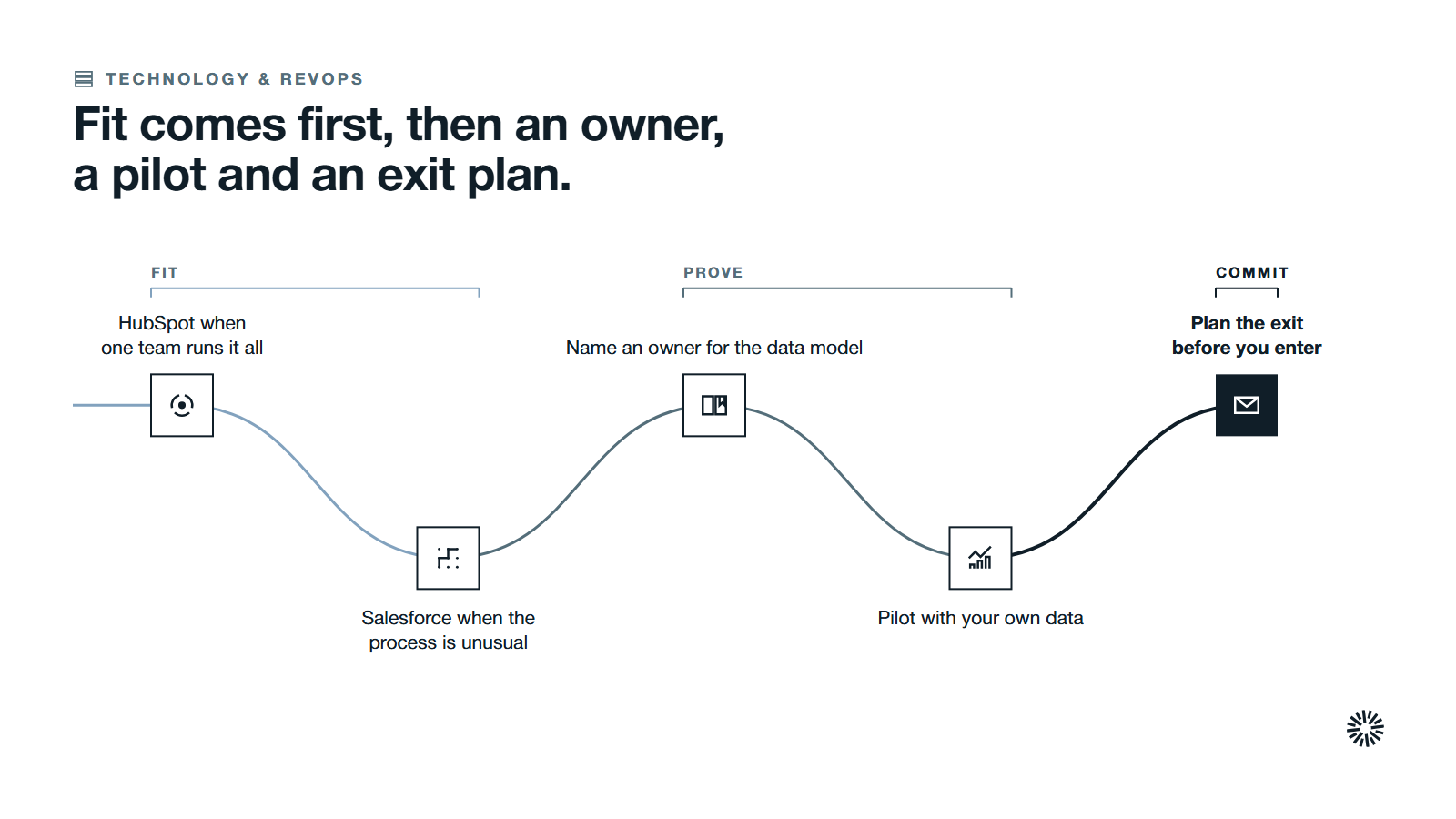
Choose by fit, not by reputation. These rules are our reading and are meant to be argued with. Salesforce wins in some situations and HubSpot in others.
Choose HubSpot when one team needs to run marketing, sales and service together
If marketing and sales share a pipeline and nobody on staff is a full-time administrator, a connected platform removes work. This is usually the situation for small businesses and many medium sized businesses, because small businesses rarely have a spare administrator and medium sized businesses prefer fewer moving parts.
Choose Salesforce when your sales process is unusual and you can staff it
Long approval chains, complex territories, regulated workflows or heavy custom data models reward a configurable platform. Larger organizations with these needs, and some medium sized businesses, often choose Salesforce, provided they can fund administrators and developers.
Name an owner before you pick a tool
Whichever system you choose, someone must own the data model, the permissions and the roadmap. If you cannot name that person, fix it first. No platform maintains itself.
Pilot with your own data before you sign
Load a real segment, build the three reports your leaders use every week and run a month of real deals. A pilot shows you the day-to-day experience that a demo hides.
Plan the exit before you enter
If you are already on Salesforce, read how a Salesforce to HubSpot migration protects pipeline before you commit. Moving later costs more than choosing carefully now.
What you gain when this is done properly
When you choose the platform that matches how your team actually works, and set it up around a defined process, the CRM stops being a reporting chore and becomes the shared record for every revenue team.
Sales gets a pipeline the team trusts
Reps log less and see more. Deal stages mean the same thing to everyone, so forecasts reflect reality and managers coach from evidence.
Marketing gets a clear view of what produces revenue
Campaigns connect to closed deals, so marketing can see which programs feed pipeline. Sales and marketing teams share one definition of a good lead, and that feedback improves targeting.
Customer success starts with the full history
Account managers see every deal, ticket and conversation before they call. Renewals and expansions begin with context instead of a search through inboxes.
Choose on process fit, then prove it with a pilot
The honest answer to HubSpot vs Salesforce is that Salesforce and HubSpot both work for teams that define their process and assign an owner. The platform you can staff, adopt and measure will outperform the one with the longer feature list.
Propello organizes its work around commercial problems rather than marketing tactics. It designs and builds connected go-to-market systems on HubSpot, and Propello is a HubSpot partner. That means we have a view, so weigh it accordingly and test the claims in this article yourself.
If you want an outside read on your own revenue system, an audit is the place to start.
