
If you lead revenue at a growing B2B company, a HubSpot implementation checklist is the list of jobs that must be finished, in order, so your sales, marketing and service teams can run on one CRM platform. A successful HubSpot implementation is one where every item has an owner and a clear finish line.
This checklist is for CEOs, founders, CROs and revenue leaders, and the operations or marketing lead who does the setup. You get ten steps in three phases, each ending with what done looks like, plus the checks to make first and the mistakes to avoid. It follows the HubSpot implementation process from planning to launch.
|
HubSpot Implementation Checklist An ordered list of the planning, setup, data, testing and training tasks that take a HubSpot account from purchase to daily use, each with a clear sign-off. |
By the end you will have a HubSpot account your team can run
The checklist is short enough to work through in one sitting and specific enough to hand to a new hire.
- A written scope: the business goals, the teams in it and the processes HubSpot must support.
- Clean, mapped data in the right records, with the custom properties your reports need.
- One sales process built into deal stages, and one lead flow built into forms and workflows.
- Reporting dashboards that match the questions leaders ask each week.
- A trained team, a named owner for the account and a review date.
This page lists tasks only. It does not retell the whole CRM implementation story, so use it beside your project plan.
What to have in place before you start
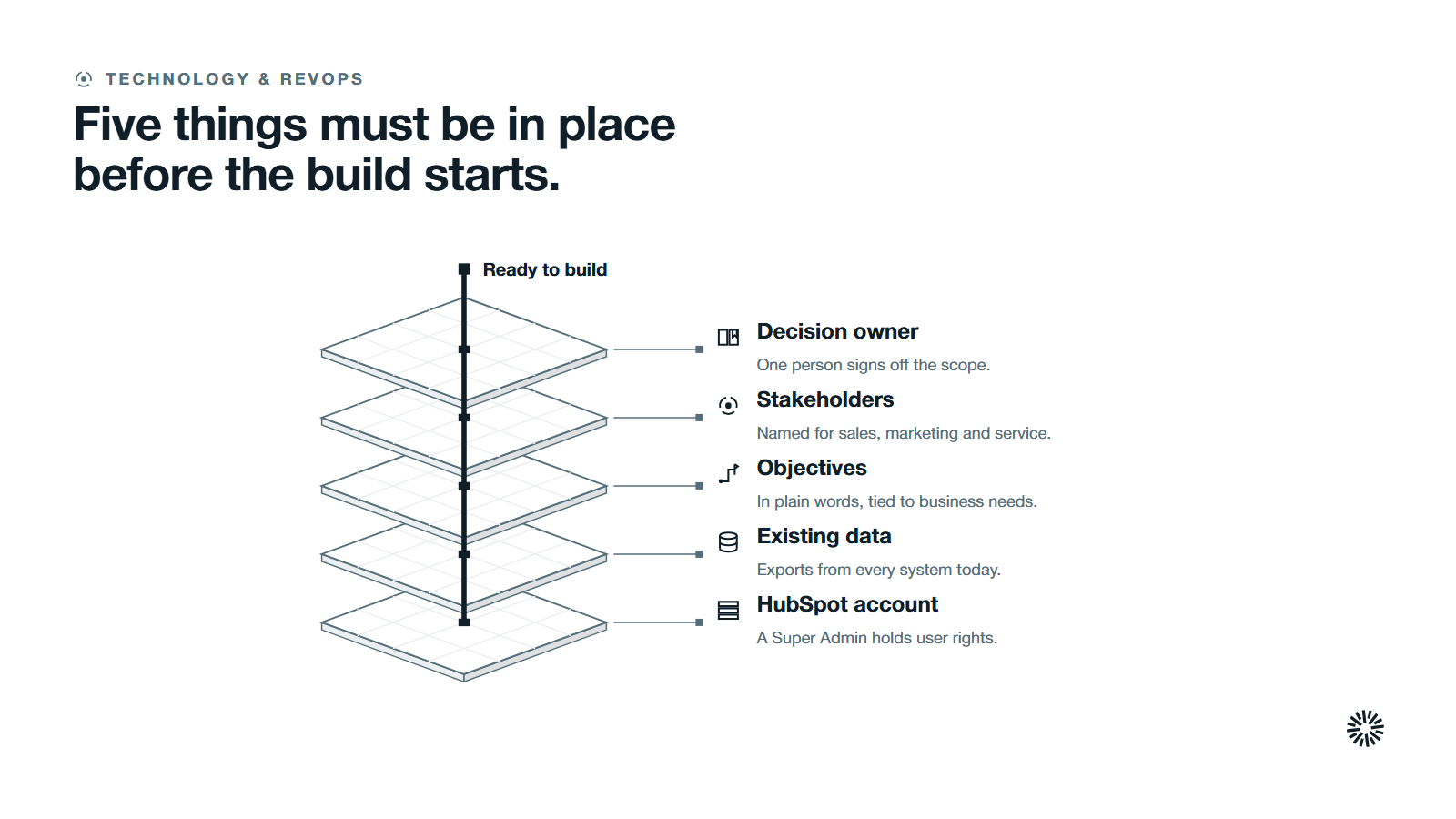
Most implementations slip because the groundwork was skipped, not because the software was hard. Close these gaps first.
- A decision owner. One person signs off scope and settles disputes between teams. Without one, every choice becomes a meeting.
- Key stakeholders and roles named. Sales, marketing and service each send one person who can speak for the team and test the build, and one person manages the project.
- Business objectives in plain words. For example, shorter response to new leads or a forecast the board trusts. Setup choices trace back to these business needs.
- Access to your existing data. You need exports from every system that holds contacts, companies, deals and tickets today.
- A HubSpot account with a Super Admin. HubSpot's own knowledge base says Super Admin permissions are required to create new users and customize their permissions, so settle who holds that role now.
If you are unsure what already exists in an older portal, run a HubSpot audit before step one so you build on facts instead of memory.
A HubSpot implementation checklist in ten steps
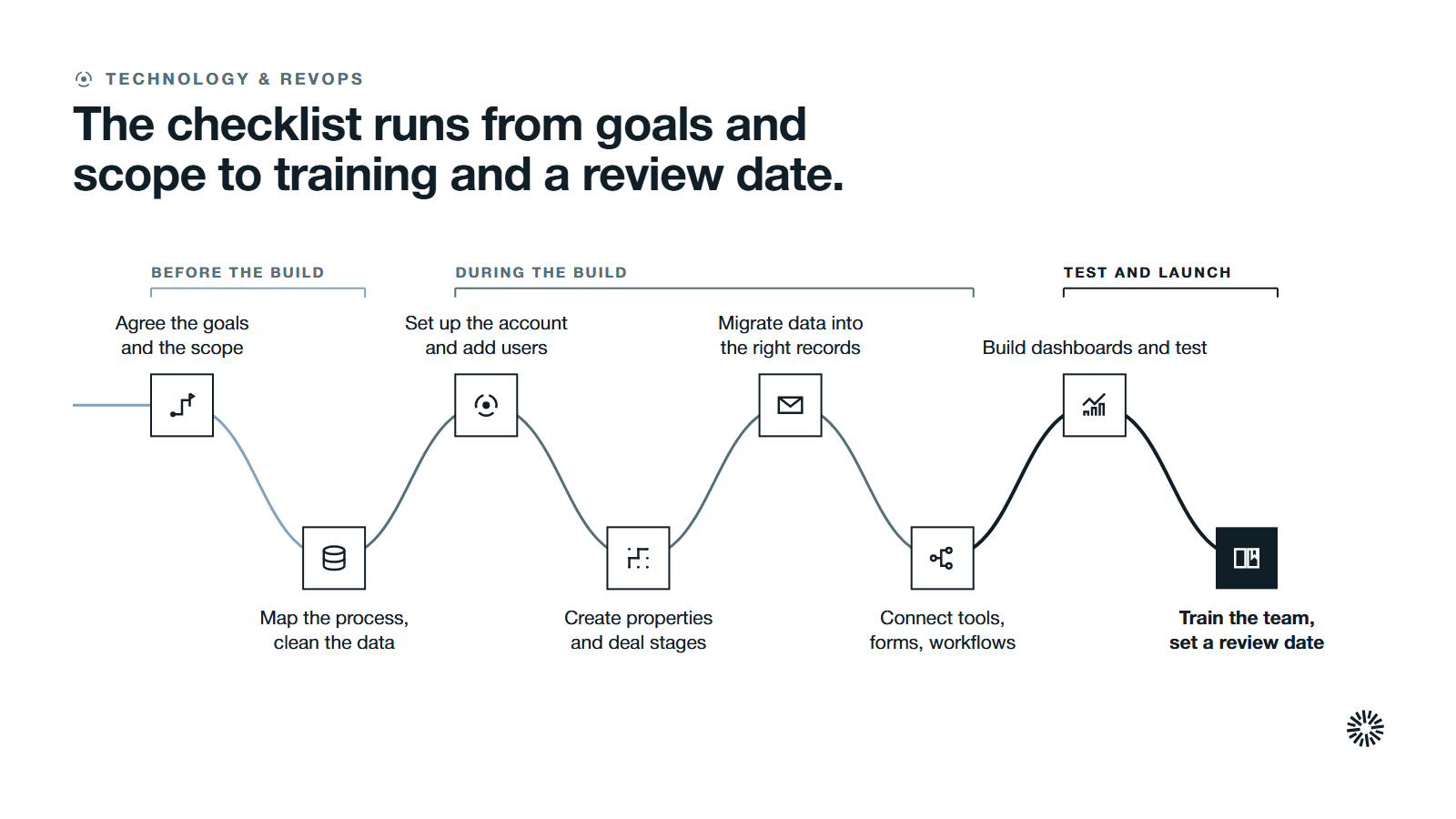
Work through the steps in order. This HubSpot CRM implementation has three phases: steps one to three happen before the build, steps four to eight during it, and steps nine and ten as the build is tested and goes live. Later steps depend on earlier answers.
1. Agree the business goals and the scope
Write down why you are implementing HubSpot and what must be true when you finish. Pick business goals a revenue leader would recognize: faster follow-up, cleaner pipeline, one view of each customer.
Then set the boundary. List which teams are in, which hubs you will use first, and what waits for a later phase.
HubSpot's own product pages describe Marketing Hub as marketing automation software, Sales Hub as sales software and Service Hub as customer service software, all on one HubSpot platform. A tight first release beats a broad one that stalls.
Agree a realistic timeline and budget with the decision owner, and phase the work so nothing is rushed. Decide how you will judge success. Name the key metrics now, such as response time to new leads, stage conversion and forecast accuracy, so the build can produce them.
You are done when one page states the goals, the teams, the scope, the key metrics and the date of the first review.
2. Map your sales process and customer journey to your business needs
HubSpot should mirror how you actually sell and serve, so describe it before you configure it. Walk through the customer journey from first contact to renewal and mark who owns each stage and each handoff.
Write your sales process as a short list of stages with an exit rule for each one. A stage is only useful when everyone agrees what must happen to leave it.
Do the same for service. Note how customer questions arrive, who answers them and which cases need escalation, so your customer service processes are written down before they are configured. Our guide to HubSpot lifecycle stages helps you define the handoff between marketing, sales and service in one shared language.
You are done when the sales process, lead flow and service flow each fit on one page and the owners have approved them.
3. Audit and clean your existing data
Migration copies whatever you give it, so fix problems at the source. Export contacts, companies and deals from each of your CRM systems and spreadsheets, and back up every export before you touch it. Then remove duplicates, fill missing fields and standardize formats such as dates and phone numbers.
Decide what you will not bring across. Old records nobody has touched in years usually add noise to lists, reports and lead scoring. Agree the cut-off rule with sales and marketing, and keep an archive of the rest.
Poor data quality shows up later as unreliable reports, so treat this step as part of the build and protect data integrity from day one. Our piece on CRM data quality explains the checks worth running.
You are done when each source has a clean export, the cut-off rule is signed off and the duplicates are resolved or flagged.
4. Complete the account setup and add users
Account setup is the technical setup that comes first because everything after it depends on who can see and change what. Add your team as users, assign seats and set permissions. HubSpot's guide says you can create users manually, from an integration or from a CSV file.
Set up user roles and permissions for data security, and give each role only the access it needs. Sales reps, marketers and service agents seldom need the same settings, and fewer administrators means fewer accidental changes.
Set company details at the same time: time zone, currency, date formats and the sending email addresses your team will use. Connect your domain for email sending and tracking, and ask IT to publish the SPF and DKIM records so your email reaches inboxes.
You are done when every user can sign in, sees the right records and tools, and the admin list is short and named.
5. Create custom properties and set up deal stages
Properties are where your business rules live. Properties are fields that store information on HubSpot records, and you can create custom properties for anything the default fields do not cover, such as market, contract type or renewal date.
Create only the properties your reports and workflows need. Each one needs a clear label, a field type and an owner who keeps it accurate. Write simple data governance rules for who may create or change a property.
Then build your sales process into deal stages. Use the stage list from step two, and keep it short. HubSpot's pipeline guide says that to make sales reports process deals correctly, you must include stages for both Won and Lost under deal probability.
You are done when the properties are documented in one list and a test deal can move through every stage to Won or Lost.
6. Plan and run the data migration
Data migration is the step that most often goes wrong, so run it in stages and check it as you go. Match each column in your file to a HubSpot property before you load anything.
HubSpot's import guide says each column header should correspond to a property and that files need a unique identifier property for each object, or the import can create duplicate records. Pipeline and deal stage values must match options that already exist in your account.
Start with a small test file, check the result, then load the full set. For a deeper walkthrough, see our guide to CRM migration.
You are done when record counts match the source, a sample of records has been checked by hand and associations between contacts, companies and deals are intact.
7. Install the HubSpot tracking code and connect your tools
Your website and your other software tools feed the CRM, so connect them early. If your pages are not hosted in HubSpot, paste the tracking code before the closing body tag on each page, then verify the HubSpot tracking code fires. HubSpot warns that installing it twice can cause duplicate data.
Connect the tools your teams use every day: email, calendar, your analytics platform and any system that holds orders or invoices. Google Analytics is a common one to link so web behavior and CRM records can be compared.
Write down what each connection does, which direction data moves and who fixes it when it breaks. Integrating tools without an owner is how sync errors survive for months.
You are done when each integration has been tested with a real record, and the data flows in the direction you documented.
8. Build forms, landing pages and automated workflows
Now build the machinery that moves work between people. Start with lead capture forms and landing pages for lead generation, and send every submission to a defined owner through lead routing rules.
Then add automated workflows for the repeat jobs. HubSpot's workflow guide describes how to add enrollment triggers, configure re-enrollment and unenrollment, and then add actions. Begin with a few that save obvious time, such as assigning owners and creating follow-up tasks.
Set up lead scoring so sales sees the best leads first, and create custom views that highlight important leads and deals.
Cover all three teams. Marketing Hub setup is about forms, landing pages and nurture that support your marketing efforts. Sales Hub setup is about task creation, alerts and sales automation. Service Hub setup gives service teams a clear route for incoming questions, service workflows and customer feedback surveys.
Whichever HubSpot hubs you use, set up only the pieces your scope calls for. Each unused feature is more to train and maintain.
You are done when a test lead submits a form, reaches the right owner and triggers the right follow-up with no manual step.
9. Build reporting dashboards and test everything
Reporting dashboards turn the build into something leaders can use. HubSpot describes dashboards as a way to organize reports into one view for a certain purpose or user, so build one per role and keep each to the questions that role asks every week.
Check access as well. HubSpot notes that dashboard access does not override report sharing or data permissions, so test each dashboard as the person who will use it, not only as an admin.
Add custom reports only for questions the dashboards cannot answer.
Then run user acceptance testing. Ask people from sales, marketing and service to complete their real tasks from a test script: create a record, move a deal, answer a case, read a report.
Write acceptance criteria for each task, run end-to-end tests of your key processes, and check that forms, landing pages and automation behave as intended. Log what fails and fix it before launch.
You are done when every dashboard loads for its audience, the test script passes and open defects have an owner and a date.
10. Train the team, launch and set a review rhythm
Go live on a planned date, with the old process switched off. Running two systems side by side tends to split your data and teach people to ignore the new one.
Train by role, using real examples from your own portal. Your team needs to learn your stages, your properties and your rules, not a generic tour.
Strong CRM adoption comes from a good onboarding process and a place to gather feedback after launch. Our article on HubSpot training and CRM adoption covers how to keep adoption high after launch.
Book the review before you launch. Track adoption with measures such as weekly active users, and monitor performance after launch. Check data quality, adoption and report use at set intervals, then adjust properties, workflows and dashboards on what you learn. HubSpot's duplicates manager surfaces potential duplicates and lets you merge or reject pairs.
You are done when everyone has been trained, the old tools are retired, a named owner runs the account and the first review is in the calendar.
Mistakes that put a successful HubSpot implementation at risk
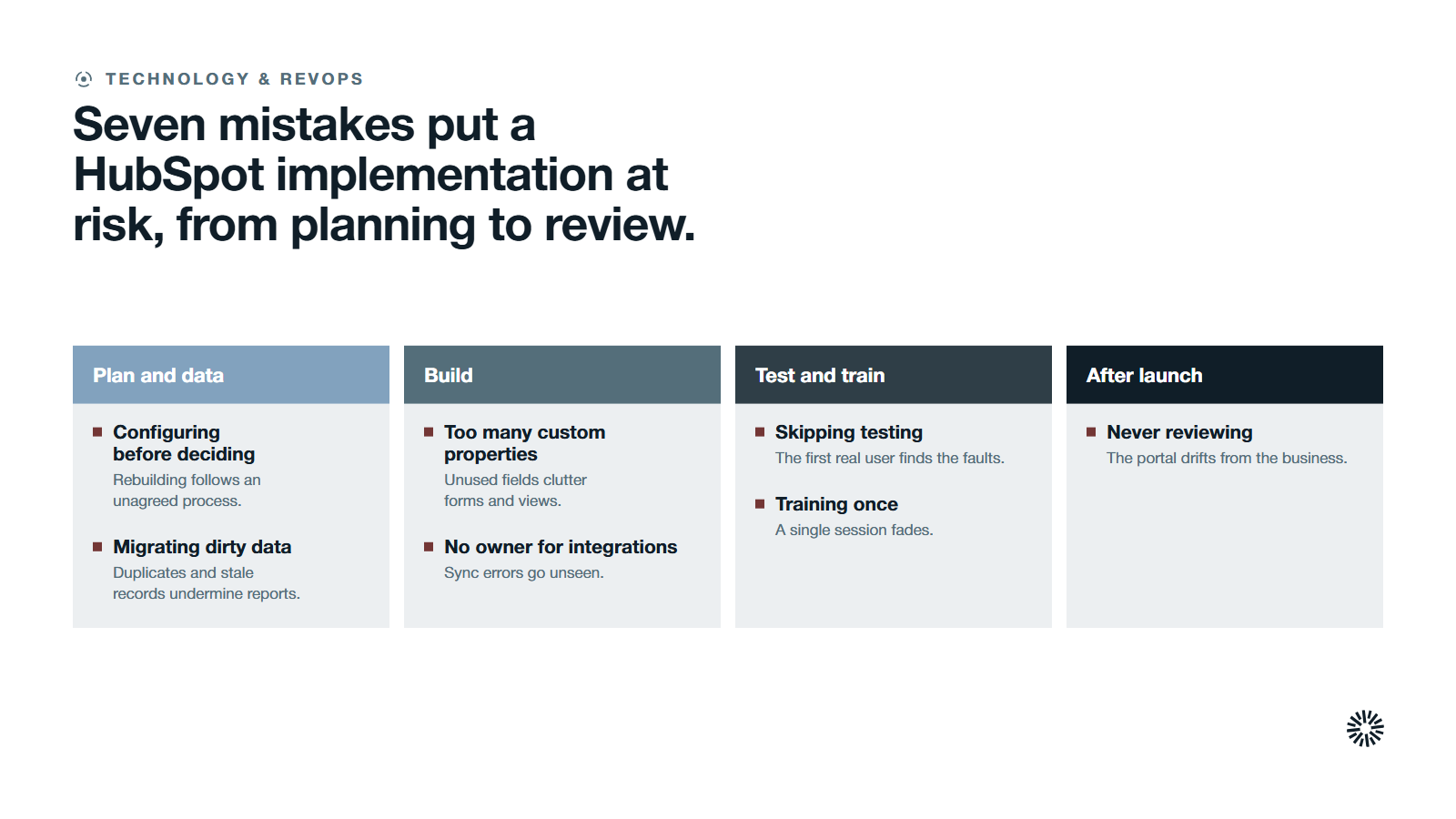
Most failed implementations repeat the same errors. Check your plan against this list.
- Configuring before deciding. Building properties and workflows before the process is agreed means rebuilding them later.
- Migrating dirty data. Duplicates, missing fields and stale records arrive in HubSpot and undermine every report.
- Too many custom properties. Each one needs an owner. Unused fields clutter forms, imports and views.
- No owner for integrations. Sync errors go unseen until someone notices missing records.
- Skipping testing. Without a test script, the first real user finds the faults.
- Training once. A single session fades. Plan short refreshers and a place to ask questions.
- Never reviewing. A portal left alone drifts from the business. Put the review in the calendar.
Do you need a HubSpot partner to implement the HubSpot CRM?
Not always. A small team with clean data and time to learn can follow this list alone. Outside help pays off with complex data, several systems to connect or little spare capacity. If you bring in a HubSpot implementation partner, use the checklist as the scope of work.
What you gain when this is done properly
A checklist-led build gives each team something specific. It also leaves a record of every decision, which makes the next change easier.
Sales gets a pipeline it can trust
Your sales team works from one set of deal stages, with clean records and routed leads. Sales reps spend their time selling instead of searching for data, and leaders get a forecast based on consistent stage definitions.
Marketing gets data that connects to revenue
Marketing sees which forms, pages and campaigns lead to pipeline, because the tracking code, properties and lifecycle rules were set up together. Budget decisions then rest on shared numbers instead of guesses.
Customer success gets the full customer picture
Customer success sees the history of each account in one place: what was sold, what was promised and what was asked. That supports faster answers, earlier warnings, stronger customer retention and a better handoff from sales.
Run your HubSpot implementation from a checklist, not from memory
A HubSpot implementation is a series of small decisions made in the right order. Agree the goals, clean the data, build the process, test it with real users and review it on a schedule, and the system will hold up as your business grows.
Propello is a HubSpot partner. Propello designs and builds connected GTM systems on HubSpot. If you want your plan, data and reporting set up properly before you commit more budget, an audit is the place to start.
