Most companies treat lead enrichment as a purchase. They sign up with a data provider, switch it on, and wait for pipeline to improve. It rarely does. The problem is rarely missing data. It is that the new data lands in fields nobody reads, scoring models nobody trusts and reports nobody acts on.
Lead enrichment pays off only when every layer after it uses the new data. If you are a CEO, founder, CRO or revenue leader, the sections below give you a design you can copy in HubSpot: what each layer reads, what it writes and who owns it.
Along the way you see what GTM Engineering builds and what your sales teams and marketing teams get from it.
|
Lead Enrichment Lead enrichment is the practice of adding firmographic, demographic, technographic and behavioral data to a lead or account record from first-party and third-party sources. |
What lead enrichment is and four kinds of lead enrichment
Your forms collect little: a name, a work email and perhaps a company. Lead enrichment fills in the rest. It turns raw data into lead profiles that people can act on.
Firmographic data describes the company, such as industry and company size. Demographic data describes the person, such as job title and seniority. Technographic data shows the tools a company runs. Behavioral data records what the lead has done with you.
The data comes from three places: your own first-party records, third-party data providers and public sources.
What are data enrichment, CRM enrichment and contact enrichment?
They are close cousins of the same idea. Data enrichment is the general practice. CRM enrichment applies it to the records already in your CRM, and contact enrichment applies it to people. Each turns a thin record into a usable lead profile.
Lead data enrichment adds relevant information to the lead records you already hold, such as job title, direct dials or a funding round, so existing data gains context.
How does data enrichment work?
A record arrives or changes, a rule decides whether it deserves a lookup, and a source returns new fields. The CRM then stores those fields with a source and a date, so later steps can trust them.
Four ways to run lead enrichment
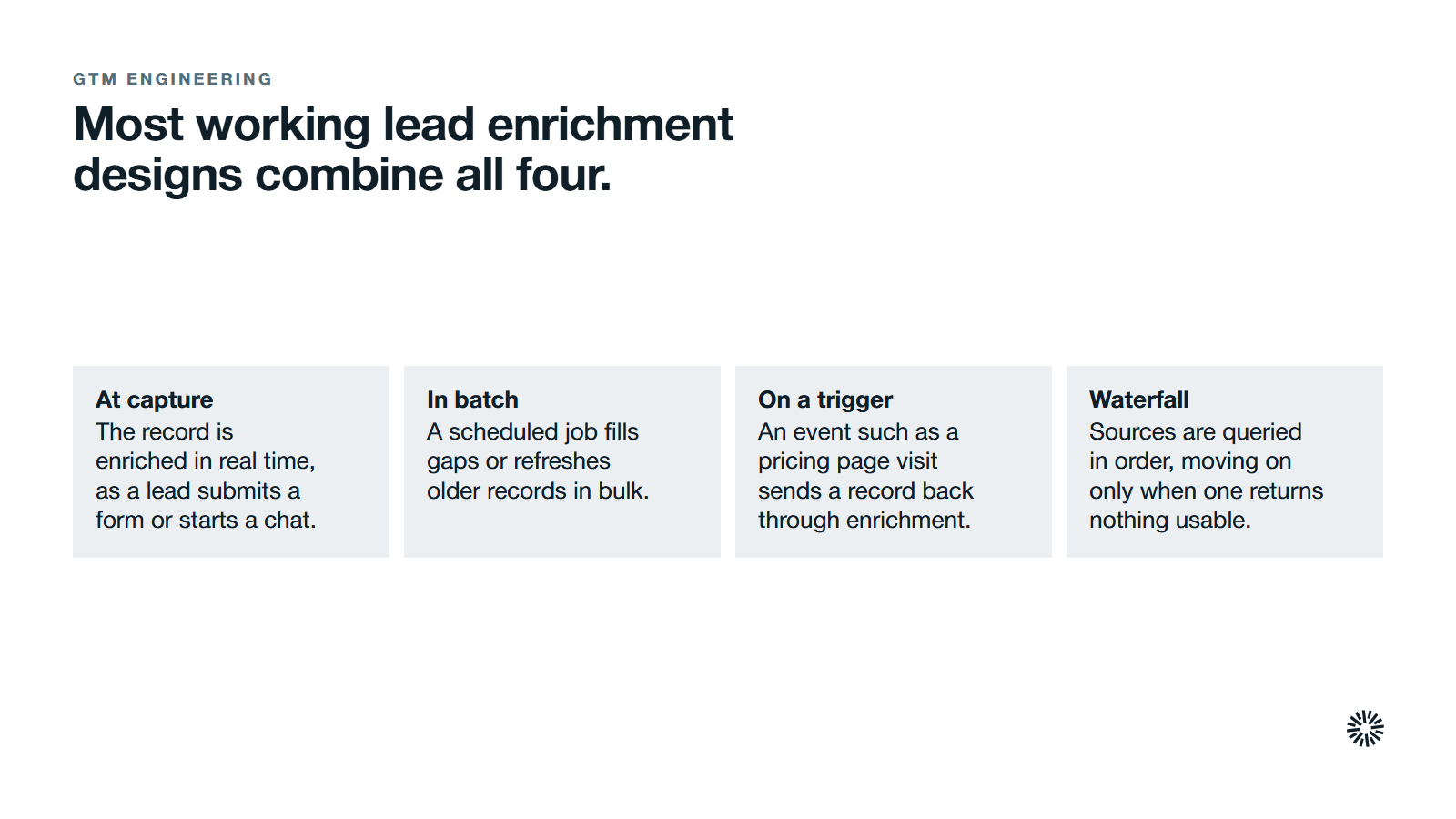
Most teams use some mix of these:
- At capture: the record is enriched in real time, as a lead submits a form or starts a chat.
- In batch: a scheduled job fills gaps or refreshes older records in bulk.
- On a trigger: an event such as a pricing page visit or a job title change sends a record back through enrichment.
- Waterfall: waterfall enrichment queries multiple data sources in order, moving on only when the one before returned nothing usable. Combined sources give a more complete lead profile.
Most working lead enrichment designs combine all four.
Why lead enrichment only pays when the architecture uses it
Lead enrichment is a cost. It pays back only when a later step changes what someone does because of the new lead data. An industry field that no score reads and no workflow routes on is just a column, whichever tool filled it.
Lead enrichment shows its value when fresh contact data reaches the people who act on it. Accurate data lets sales teams prioritize, lets marketing teams segment and lets automation workflows make smarter decisions. Sales and marketing then share the same enriched lead data.
Data also ages. People change jobs, companies change size and addresses go dead, so stale sales data wastes campaign budget and a one-off import fades. A refresh plan belongs in the design from the start.
Keeping data quality high means contact data stays up to date through real time data updates and scheduled checks.
Trust in CRM data is the other risk. In Validity's State of CRM Data Management in 2025, 76% of respondents said less than half of their organization's CRM data is accurate and complete.
An example lead enrichment architecture, layer by layer
Start from a common situation: an inbound motion built on demo requests, content downloads and webinars. Forms capture inconsistent fields, reps research every lead by hand, and nobody can slice pipeline by industry or buying role.
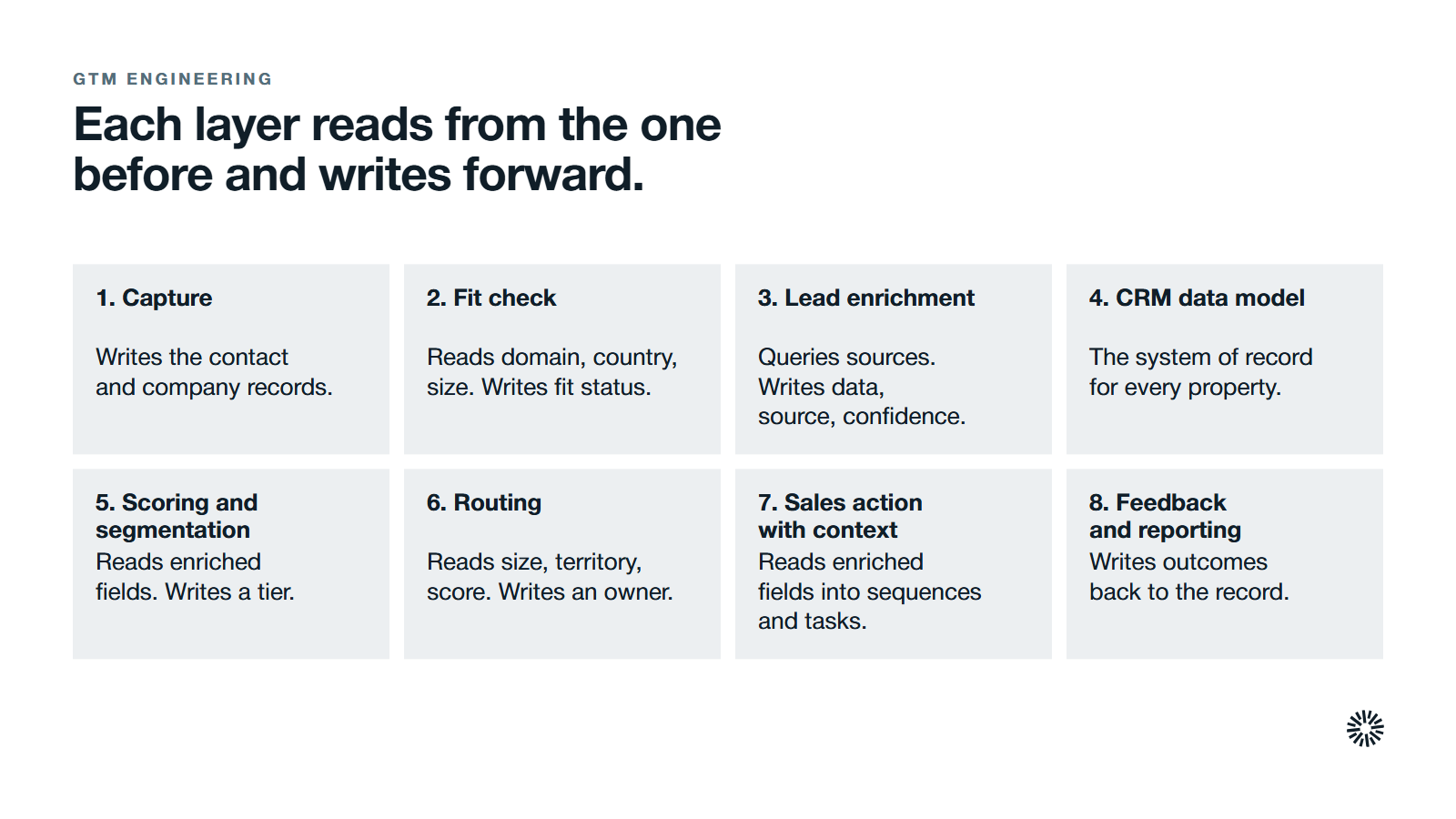
The design below fixes that with seven connected layers, each reading from the one before and writing forward. It is a pattern a GTM engineer would design. Your field names and sources will differ with your business needs, but the structure holds. Each field is a data point someone must own.
Capture
Capture does one job: create a clean record with as little friction as possible. A demo page asks for first name, work email, country and one qualifier such as employee band. Live chat and event scans feed the same fields.
It writes the contact and company records. Marketing owns the forms and the field list, and keeps the form short because every extra field costs conversions.
Fit check
Before any paid lookup runs, a workflow tests the new lead against simple rules from your ideal customer profile. It reads the email domain, the country and the self-declared company size, and it writes a fit status.
Only records that pass move on to lead enrichment. RevOps owns the rules and adjusts the thresholds as the profile changes. This one gate decides how much you spend.
Lead enrichment
An enrichment workflow or custom code action queries sources in waterfall order. First-party data comes first: existing customers and product usage. Then external sources fill industry, revenue band, employee range and tech stack. Intent signals and buyer intent data come last. How those signals become a rep action is covered in intent signals and the sales response.
It writes enriched data plus a source, a confidence value and a last enriched date. A GTM engineer or RevOps owns this layer, and individual reps do not edit its logic.
CRM data model
HubSpot is the system of record. Company properties hold firmographics and technographics, contact properties hold role and seniority, and the HubSpot data model links them so many contacts share one account profile.
Controlled value lists keep industries, countries and bands consistent. RevOps owns the schema. Sales leadership signs off on which fields reps can edit.
Scoring and segmentation
Lead scoring reads the enriched fields. A fit score combines firmographic and technographic attributes, an engagement score reads website visits and content downloads, and a recency score weighs how fresh the activity is.
It writes a tier on every record, for example top tier, manufacturing, high intent. Smart lists segment by tier, industry and buying role. Marketing operations owns the models and reviews them against closed deals.
Routing
Routing workflows read company size, territory, industry and score. They write an owner, a queue and a response deadline that varies by tier. Lead routing stops being round robin and starts reflecting fit.
Sales operations owns the assignment rules. Speed matters here. A Harvard Business Review study from 2011 audited 2,241 U.S. companies and found that only 37% responded to a web lead within an hour.
Sales action with context
Sequences, tasks and call notes pull the enriched fields into the message and the call plan. A rep who knows the industry, the tech stack and the buyer's seniority opens with something relevant. Key accounts surface at the right moment.
Sales owns the playbooks and flags bad data back through a simple field. Research is a real cost of selling: in Salesforce's State of Sales 2026 research, sellers expect agents to cut prospect research time by 34%.
Feedback and reporting
Meetings booked, opportunities created and disqualification reasons write back to the record. Dashboards report pipeline by enriched segment, plus coverage and staleness of the fields themselves.
RevOps owns the reports. Leadership uses them to tighten the ideal customer profile, retune scoring and see where data decay is creeping in.
Data quality rules that protect your CRM data
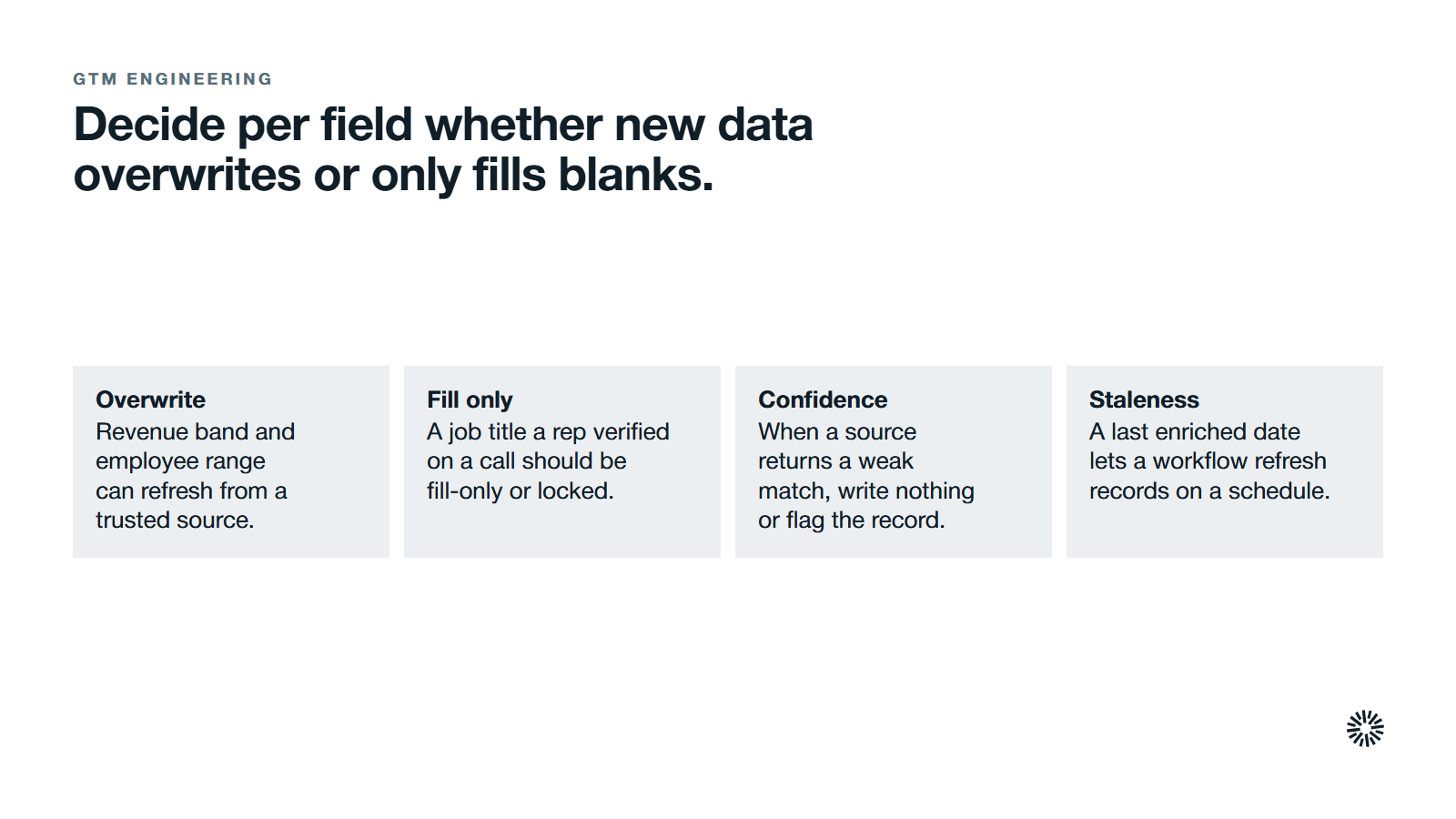
Decide per field whether new data overwrites or only fills blanks. Revenue band and employee range can refresh from a trusted source. A job title a rep verified on a call, and anything in sales notes, should be fill-only or locked.
Use confidence next. When a source returns a weak match, write nothing or flag the record for review.
Then handle staleness: a last enriched date lets a workflow refresh records quarterly or semi-annually, and active accounts more often. Old data raises bounced emails and wasted effort, so audit coverage regularly. Mapping the field architecture and setting data hygiene routines should happen before you build workflows, not after.
Enrich only the records that pass a fit check
Run the fit check first. Relying on one provider leaves gaps, so multiple sources fill what a single provider misses. Records that fail it never reach a paid source, which prevents the largest source of waste. Keep batch runs for historic records separate from real-time enrichment for inbound leads.
Test every new source on a small sample before wiring it in. Measure match rates, match accuracy, freshness and overlap with the data you already hold.
An enrichment tool automates data collection and integration and adds external information to your CRM, but you decide which records justify the cost. Define your data requirements before you choose a tool, and keep the tool behind the architecture, not in front of it.
Integration also needs care. In the 2025 MuleSoft Connectivity Benchmark, the average enterprise now manages 897 applications, and only 29% are integrated.
Privacy and consent in plain terms
Keep a lawful basis for every record you hold and enrich. Respect opt-outs, and store consent in HubSpot where workflows can read it. If you are weighing a partner to build this in HubSpot, compare HubSpot implementation with GTM engineering first. Your privacy notice should say which fields you add, which kinds of third-party sources feed them and what a person can ask you to change.
Focus on business-related information, such as role and company details, which keeps you closer to GDPR expectations. Nobody on your team should be surprised by which data drives routing, and no prospect should discover collection they were never told about. Ask a qualified adviser for rules in your regions.
Common mistakes when you add lead enrichment
- Buying an enrichment tool before the data model and ideal customer profile exist, which fills the CRM with noise.
- Enriching every record equally, including leads that will never fit.
- Letting external data overwrite fields that sales has verified.
- Leaving enriched fields unused by scoring, routing and reporting.
- Running a one-off batch with no refresh plan, so good data goes stale unnoticed.
- Ignoring how enrichment interacts with consent settings and regional rules.
What you gain when this is done properly
Lead enrichment work pays when it changes what each team does on a given day.
Sales
Reps open a record and see company size, industry, tech stack and seniority already there. They start from context instead of a research tab. Fit and intent scores put key accounts at the top of the queue, and territories can be designed on reliable fields instead of instinct.
Reps can tailor each outreach message to what the record already shows, and the sales process spends less time on manual lookups and more on sales prospecting.
Marketing
Sales campaigns and lead generation programs can be built around enriched segments: industries, tiers and tech environments. Offers can speak to specific buying roles. Reports show pipeline by segment rather than only by channel, so you see which campaigns bring potential customers that fit.
Customer success
Customer success inherits customer data and account context at closed-won: company structure, tech stack, stakeholders and regions. Onboarding plays adjust by size and setup. Refreshing records also catches changed job titles and company moves, so account profiles stay current for expansion conversations.
Make lead enrichment a capability, not a project
Lead enrichment is not something you finish. It sits inside a wider data strategy, so you maintain it, tune it and extend it as your market shifts.
The layers matter more than the data source: capture, check fit, enrich, score, route, act and report. The wider case for this kind of build is in why GTM teams need GTM Engineering.
Propello designs and builds connected GTM systems on HubSpot. If your enrichment sits unused or your routing feels disconnected, an audit is the place to start.