A CRM runs your revenue engine well only if someone decided how it should work before it was built. This guide is for CEOs, founders and revenue leaders at growing B2B companies, and it answers one question: how do you design CRM architecture for a modern GTM system?
You get a step by step guide in seven parts, built around HubSpot, plus the common mistakes and a short check for what good looks like. Make the structural decisions first, then hand a clear brief to your GTM Engineering team or HubSpot admin.
|
CRM Architecture CRM architecture is the structured design of the objects, properties, associations, stages, automations, permissions and integrations that let a CRM support your whole go-to-market motion. |
Why CRM architecture is the foundation of a GTM system
Every go-to-market motion eventually writes to the CRM. Your CRM database holds the contact details, company records and interaction history behind each one.
When the structure is deliberate, the CRM system gives sales, marketing and customer success one connected view of each customer on one platform. When it is not, every team's reports tell a different story.
Good design removes data silos by keeping customer data in one CRM database, not scattered across spreadsheets and side tools. Without it, data quality suffers first, and trust is already thin. In Salesforce's 2024 State of Sales research, only 35% of sales professionals completely trusted the accuracy of their organization's data.
Validity's 2025 CRM data study makes the same point from the admin side. In a survey of 602 CRM users, 76% said less than half of their organization's CRM data is accurate and complete.
Architecture is also what makes automation and AI usable. Real-time data lets AI agents act on current customer behavior, and AI can segment audiences and personalize messages across channels. None of that works if the underlying records are scattered or contradictory. Data accuracy comes before any of it.
The layers behind a CRM
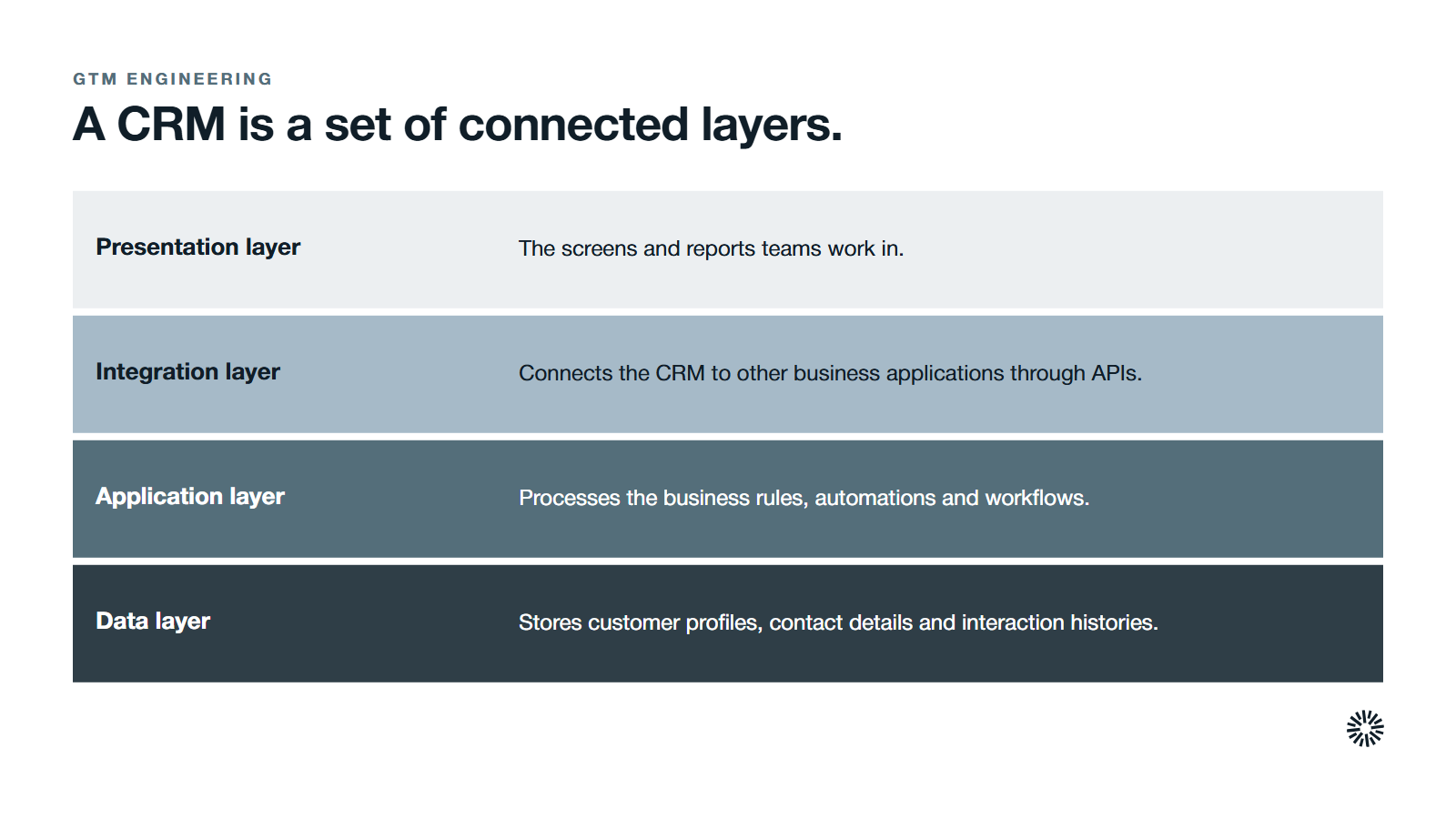
A CRM is a set of connected layers, and thinking in layers helps you decide who owns what.
- Data layer: stores customer profiles, contact details, interaction histories and related records securely.
- Application layer: processes the business rules, automations and workflows that run on that data.
- Integration layer: connects the CRM to other business applications through APIs.
- Presentation layer: gives sales, marketing and service teams the screens and reports they work in.
Most modern platforms, HubSpot included, run in the cloud, which makes them easy to scale. Flexibility cuts both ways, though. It only pays off when the design is deliberate.
What to settle before you start
Design fails when it happens apart from strategy and the real customer journey. Gather these first:
- Clear ideal customer profiles and segments. Without them you cannot define the properties that drive segmentation and routing.
- A rough customer journey. Without it, lifecycle stages become arbitrary labels.
- The metrics leadership actually asks for. If you do not know the questions, the architecture cannot answer them.
- Your revenue motions. Inbound, outbound, product-led and partner motions may each need their own pipeline or routing.
- A named CRM owner. Without one, every team adds fields and workflows on its own.
How to design your CRM architecture in seven steps
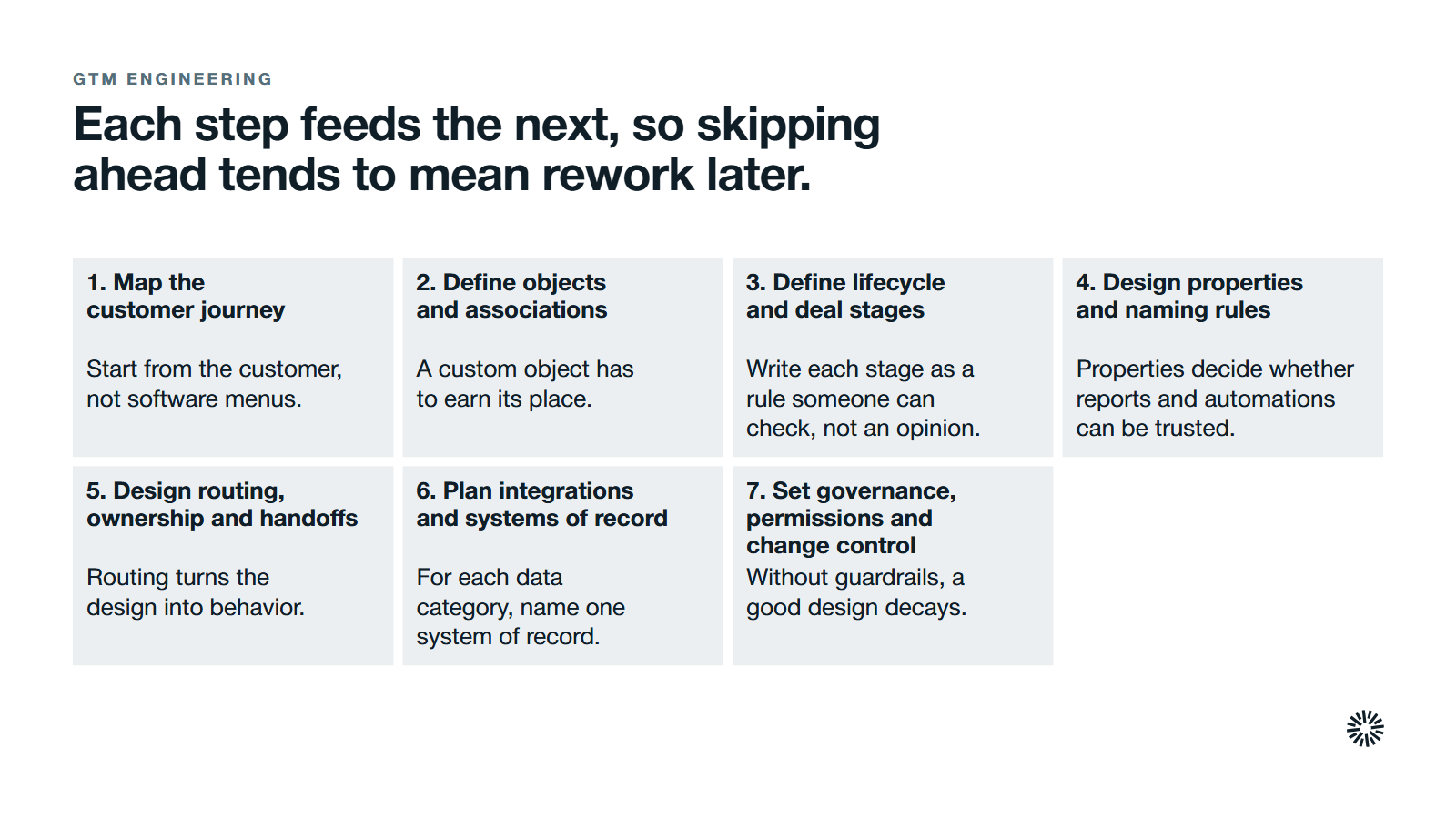
Work through these in order. Each step feeds the next, so skipping ahead tends to mean rework later.
Map the customer journey and the questions leadership needs answered
Start from the customer and the questions you need answered, not software menus. The challenge is resisting the urge to open HubSpot first. Draft the journey from first signal through onboarding, renewal and expansion, and mark every handoff between marketing, sales, implementation and customer success.
Then list the questions leadership asks. Which inbound leads become opportunities? Where do onboarding handoffs stall? Where do partner-sourced deals drop out? Assign each question to a moment in the journey and to the object that will hold the answer: contact, company, deal or ticket.
This step is done when every question has a journey stage and an owning object, and every handoff has been named.
Define objects and associations
Start with HubSpot's standard objects. Contacts hold people. Companies hold account context. Deals hold revenue opportunities. Tickets hold service issues. Define the associations between them, with labels where roles matter, such as decision-maker or technical evaluator. Complex accounts need these labels most.
Add a custom object only when a recurring structure cannot be expressed with the standard four. A contract with its own renewal date is a fair example. Every custom object adds work to reporting and integrations, so it has to earn its place.
Define lifecycle stages and deal stages with entry and exit criteria
Lifecycle stages describe where a person or company sits in the journey. Deal stages describe how an opportunity progresses. Write each stage as a rule someone can check, not an opinion.
"Marketing qualified" should mean a lead scoring threshold is met and clear engagement signals, such as a demo request, have appeared, not that marketing likes the lead. Give every stage an exit rule too. If a contact shows no engagement within a set window, they move back a stage.
Create separate pipelines when motions differ. New business, expansion and renewals have different owners, cadences and stages. If leads jump straight to proposal without discovery, your qualification criteria are too loose, and the pipeline will overstate what is real.
Design properties, naming conventions and data enrichment rules
Properties are the fields on each object, and they decide whether reports and automations can be trusted. Group them by purpose: identifiers such as email addresses, firmographics, behavior, qualification, commercial terms, ownership and system metadata.
Create a property inventory and mark every field as entered by a user, set by automation, or filled by data enrichment. People should enter what only they know, such as deal notes and qualification detail. Enrichment should fill firmographics and technology data.
It matters because teams already doubt their records. In a 2026 survey of 222 B2B sales professionals run by the sales-data company Firmable, respondents' own estimate was that 32% of their contact and account data is inaccurate, incomplete or outdated.
Ask your data team or GTM engineer to protect accuracy with naming rules set early: plain words, consistent prefixes, fixed dropdown values and one date format. A free-text "technology used" field will collect endless spellings. A controlled dropdown will not.
Design routing, ownership and handoffs
Routing turns the design into behavior. Create four owner types: the lead owner before qualification, the account owner for customer relationships, the deal owner while a deal is open, and the customer success owner after the sale. Say exactly when ownership changes.
Write routing rules for leads, accounts, deals and tickets by territory, segment, product or channel. In HubSpot you express them through assignment rules, workflows, queues and service targets tied to stages.
Name each critical handoff: marketing to sales development, sales development to account executive, sales to implementation, implementation to customer success. Automation then enforces the rules, so teams hand off work effectively without relying on memory.
Plan integrations and decide which system owns each field
Every system that touches customer or revenue data needs a place in the design: marketing tools, product analytics, billing, support and your data warehouse. The scale of the problem is large. Salesforce's 2025 MuleSoft Connectivity Benchmark reported that the average enterprise manages 897 applications, and only 29% are integrated.
For each data category, name one system of record. Contacts and companies usually live in HubSpot, revenue events in billing, and product usage in your analytics platform. Determine the direction of each sync and which fields are read-only in the CRM system.
Renewal date is the classic case. If billing and the CRM both allow manual edits, records conflict within weeks. Make billing the owner, sync one way and lock the field in HubSpot. Treat every integration, and any data migration, with the same discipline, because accurate and complete records depend on it. The HubSpot side of that work is detailed in HubSpot integrations for a GTM engineering stack.
Set governance, permissions and change control
Without guardrails, a good design decays as teams add fields and workarounds. Set permissions by role and give people the least access they need. Not everyone should be able to edit pricing fields or stage definitions.
Run change management through a simple request process. A GTM Engineering lead or admin reviews each new property or workflow for its effect on reporting, automation and integrations before approving it. That stops conflicting automations and orphaned fields from piling up.
Good practice is shared knowledge, so document the architecture: objects, stage criteria, routing rules and the integration map. Keep it somewhere everyone can find and name a maintainer. Review new properties monthly, clean unused fields quarterly and check the whole design against strategy once a year.
What CRM data, data models and enrichment mean in practice
What is a CRM data model?
It is the map of your records and how they connect. The CRM data model organizes customer data into entities, such as people, accounts and leads, and the relationships between them, which can be one-to-many or many-to-many. A clean model makes every later report easier to build.
What are examples of CRM data?
Contact details and job titles on people, industry and size on companies, deal amount and stage on opportunities, and support history on tickets. Behavioral records such as page visits and email replies sit alongside them. Together they form the interaction history that sales, marketing and service teams share.
What is data enrichment and how does it work?
Data enrichment adds missing or current details to a record from outside sources. A tool matches the record on an email address or company domain, then fills gaps such as company size or technology in use and replaces outdated data. It supports sharper targeting and a better read on customer behavior.
What you gain when this is done properly
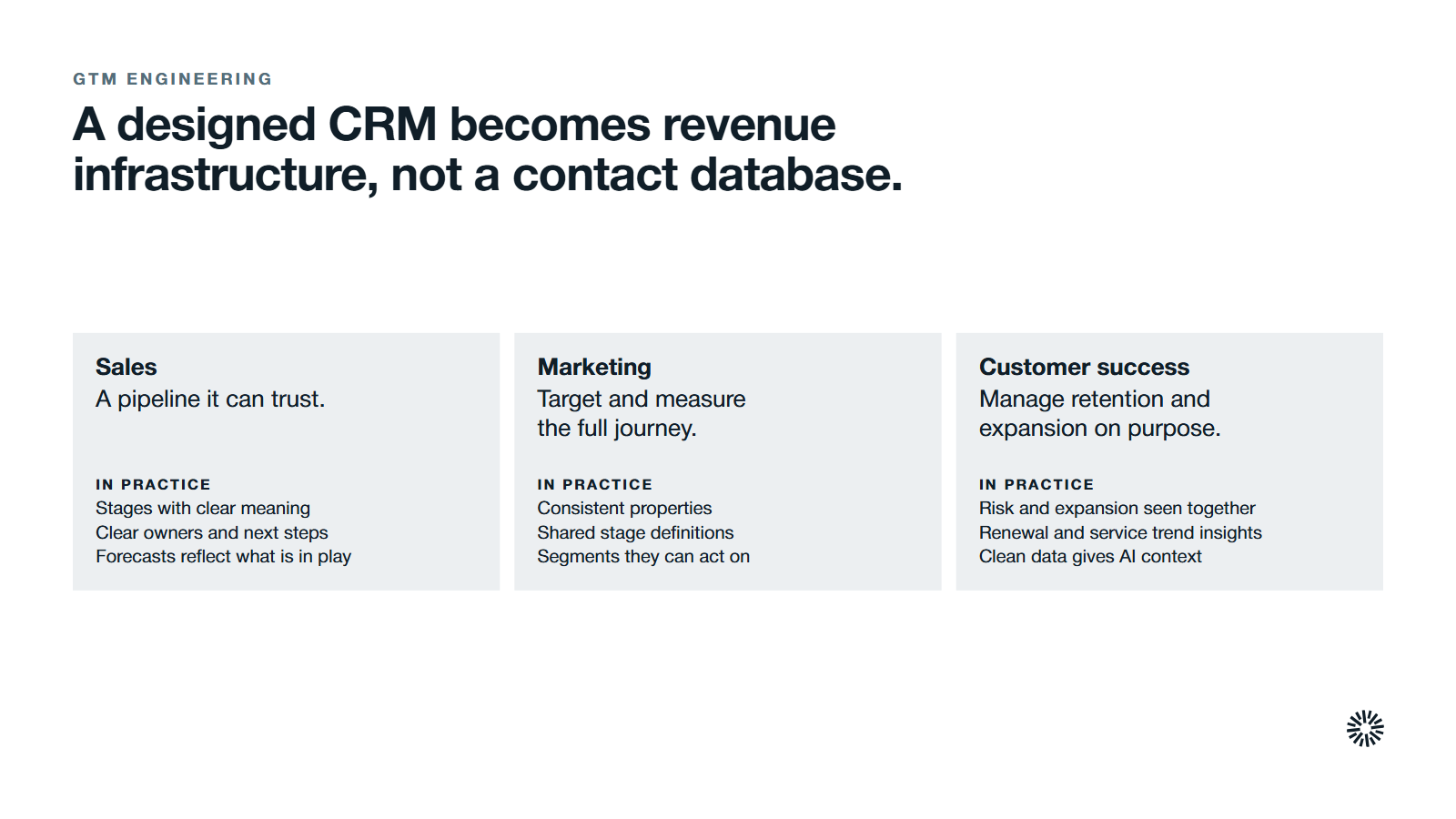
A designed CRM stops being a contact database and becomes revenue infrastructure. For how this differs from buying more tools, see GTM software versus infrastructure. Customer relationship management only works as well as the structure behind it, and collaboration between teams starts from shared definitions.
Sales gets a pipeline it can trust
Reps work from stages with clear meaning, clear owners and defined next steps. That matters because, in Salesforce's 2026 State of Sales report of 4,050 sales professionals, the average seller spends 40% of their time selling. Managers coach from live pipeline data, and forecasts reflect what is actually in play.
Marketing can target and measure the full journey
Consistent properties, shared stage definitions and enrichment give marketing teams segments they can act on, plus insights that tie campaigns to opportunities. Better data quality also supports personalization for loyal customers and new prospects alike, instead of guessing.
Customer success manages retention and expansion on purpose
Tickets, renewal deals and usage data sit on the same account, so CSMs can see risk and expansion potential together. Leadership gets insights into renewals and service trends on one platform. Clean data also gives AI the customer and service context it needs to be useful.
What good looks like
You can prove the design works with a few plain tests:
- Sales and marketing use the same stage names and definitions in pipeline reviews.
- Leadership dashboards in HubSpot answer the core questions without a spreadsheet export.
- Few records sit unassigned, and routing escalations are rare.
- Requests for new fields are reviewed through the change process, not made ad hoc.
Common mistakes that undo the work
- Starting from the tool. Copying default stages and fields gives you software menus, not your go-to-market model. Map the journey first.
- Too many custom objects and fields. Each one adds weight to every report and integration, and the CRM database gets harder to manage. Favor standard objects and controlled properties.
- Letting every team edit the CRM. A field added by marketing can break a workflow that sales depends on. Give a GTM engineer or admin clear ownership of changes.
- Leaving enrichment to chance. If employees must type everything, records decay. Plan required fields and enrichment sources during design.
Design CRM architecture that your revenue team can build on
Objects, stages, properties, routing, integrations and governance, developed in that order, turn HubSpot into infrastructure the whole revenue team can build on. Every handoff has an owner, every report uses the same definitions, and new plays start from a stable base.
Your team can often handle journey mapping, stage definitions and basic routing. The harder parts, and the biggest risk, are data model design, multi-entity setups, integration planning and governance that holds up across larger enterprise teams. If you are still weighing the investment, read why GTM teams need GTM Engineering.
Propello designs and builds connected GTM systems on HubSpot. If your CRM is slowing your revenue engine down, an audit is the place to start.